
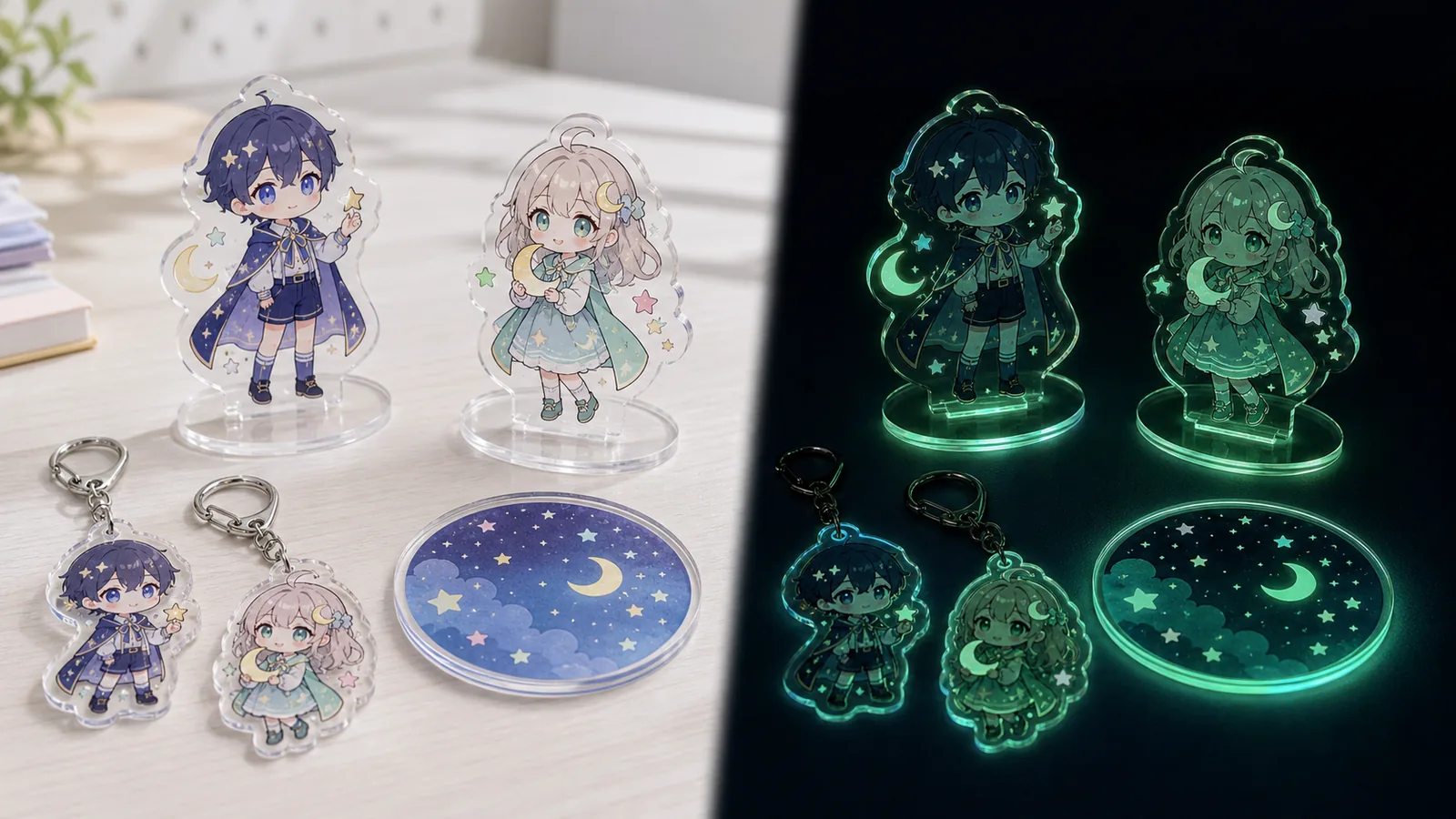
B2B OEM / Glow-in-dark acrylic goods
Glow-in-the-Dark Acrylic Goods
This OEM page is for glow-in-the-dark acrylic goods where daylight print quality and dark-room glow areas need to be confirmed before mass production. For acrylic stands, acrylic keychains, coasters, prize items, and event merchandise, we help organize artwork data, materials, packaging, SKU sorting, and delivery conditions.
- Confirm white backing, transparent areas, glow range, and glow color at the sample stage
- Discuss multi-SKU projects, random sales, backing cards, and individual OPP packaging
- Review dark-room photos, base and edge visibility, and packed appearance before production
Note: Glow strength and appearance vary by material, glow area, light exposure, and shooting environment. We treat glow review as a project-specific sample confirmation, not as a fixed guarantee.
Short Answer
How are glow-in-the-dark acrylic goods different from standard acrylic goods?
They are not just standard clear acrylic with printing. Glow-in-the-dark acrylic goods require the glow area, white backing, transparent parts, and phosphorescent material appearance to be designed together. Before mass production, the item should work as a product both in daylight and in dark-room viewing.
Whether the entire character glows or only the outline, stars, moon motif, base, or acrylic edge glows will change artwork data, white backing, material choice, and sample photo review.
Daylight Appearance
Check whether the character, colors, transparency, and base printing are clear under normal lighting.
Dark-Room Glow
Review the glowing area, contrast, photo appearance, and whether it matches sales descriptions.
Mass Production Specs
Organize SKU, packaging, protective film, backing card, and inspection methods as production conditions.
Image Evidence
Production and Packaging Images to Review
Instead of the old line-art placeholders, this structure shows actual product forms, glow layers, artwork proofing, materials, packaging, and sales-use scenes through original IP sample images.
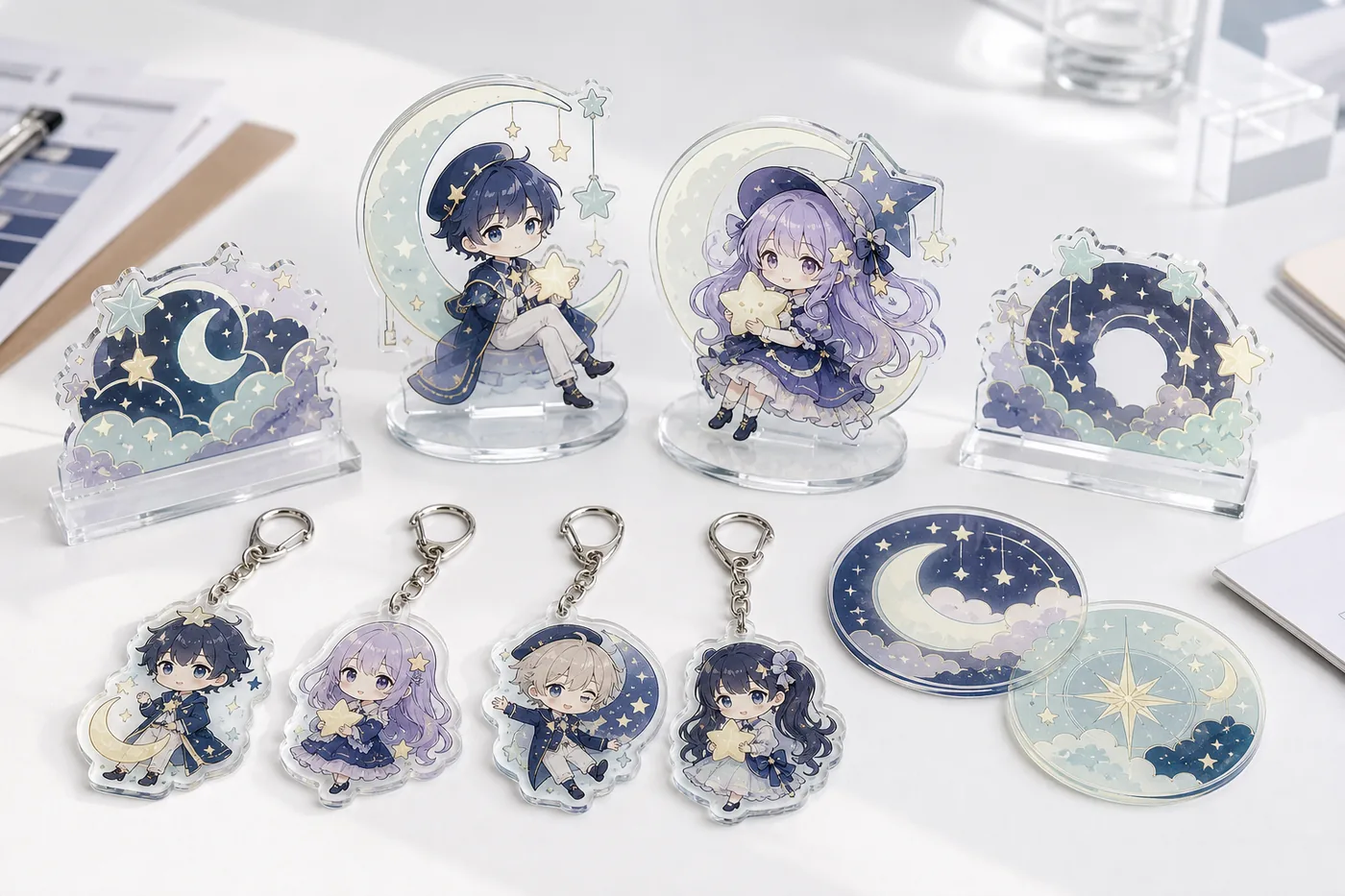
SKU and Product Format
Organize acrylic stands, keychains, coasters, and mini display plaques as a series.
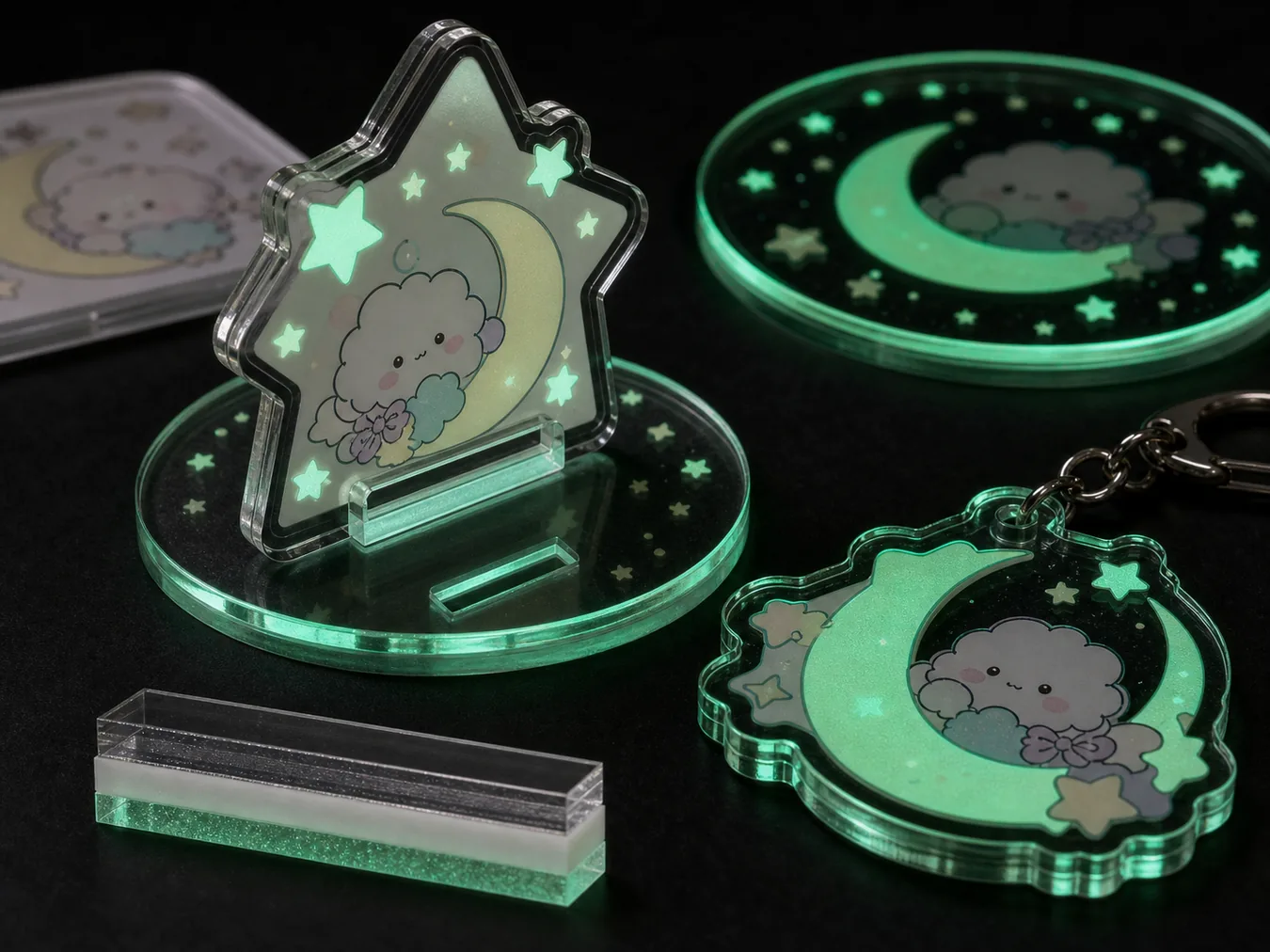
Glow Layer and Edge
Confirm white backing, transparent areas, base glow, and edge glow with samples.
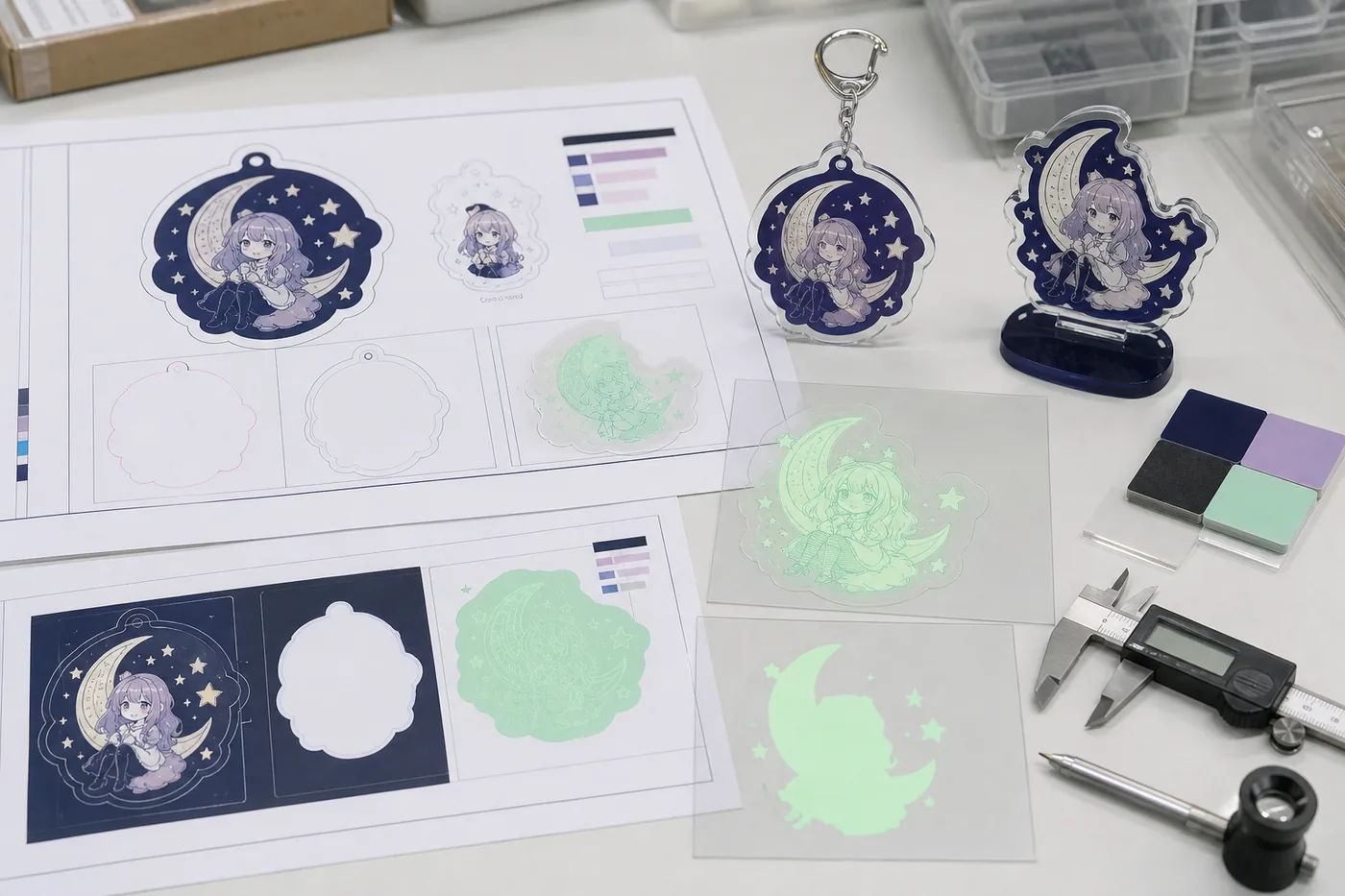
Artwork Data Review
Check cut lines, white backing, glow range, and color proofing separately before production.
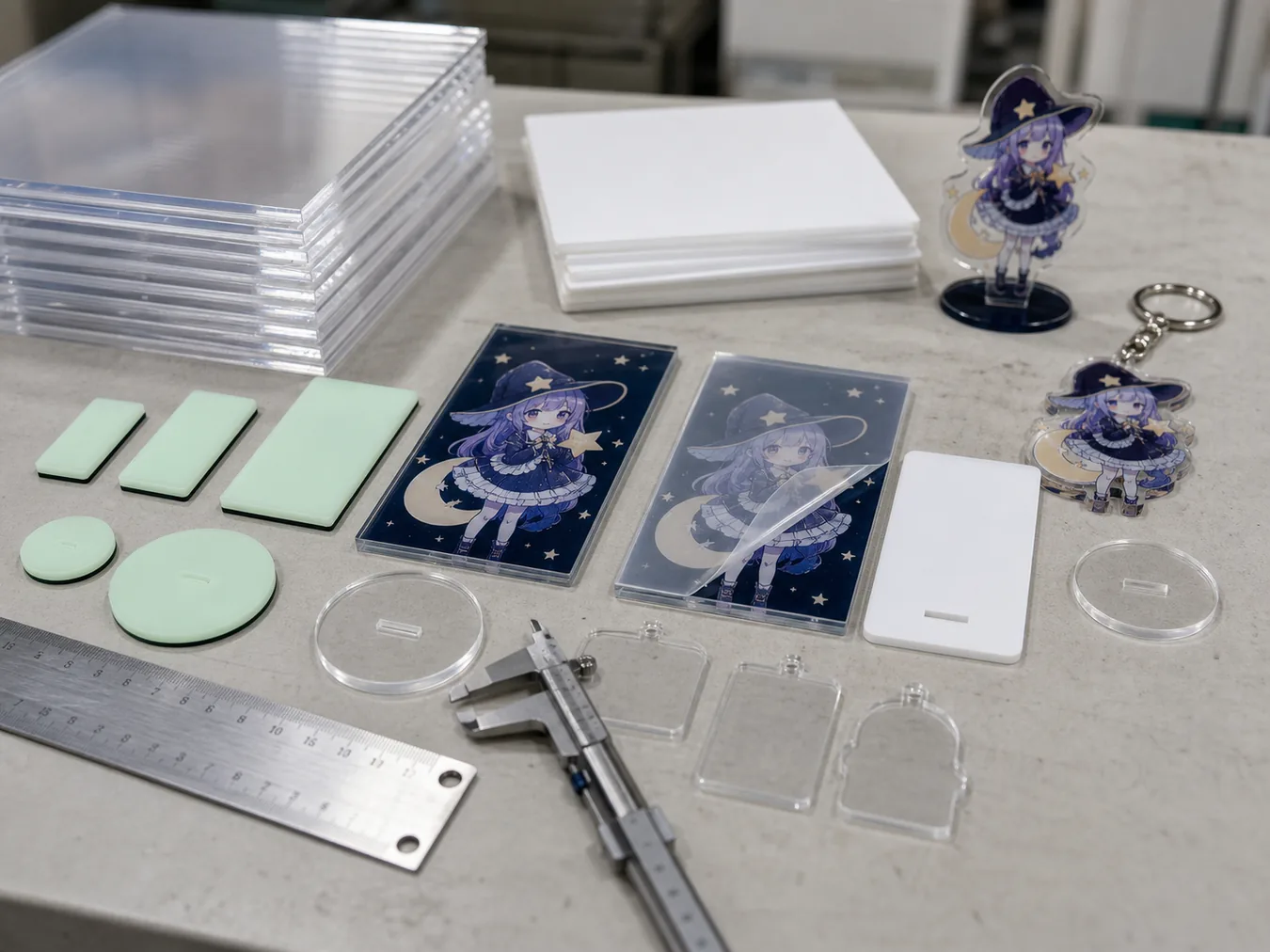
Materials and Process
Review clear sheets, glow samples, UV printing, protective film, and thickness.
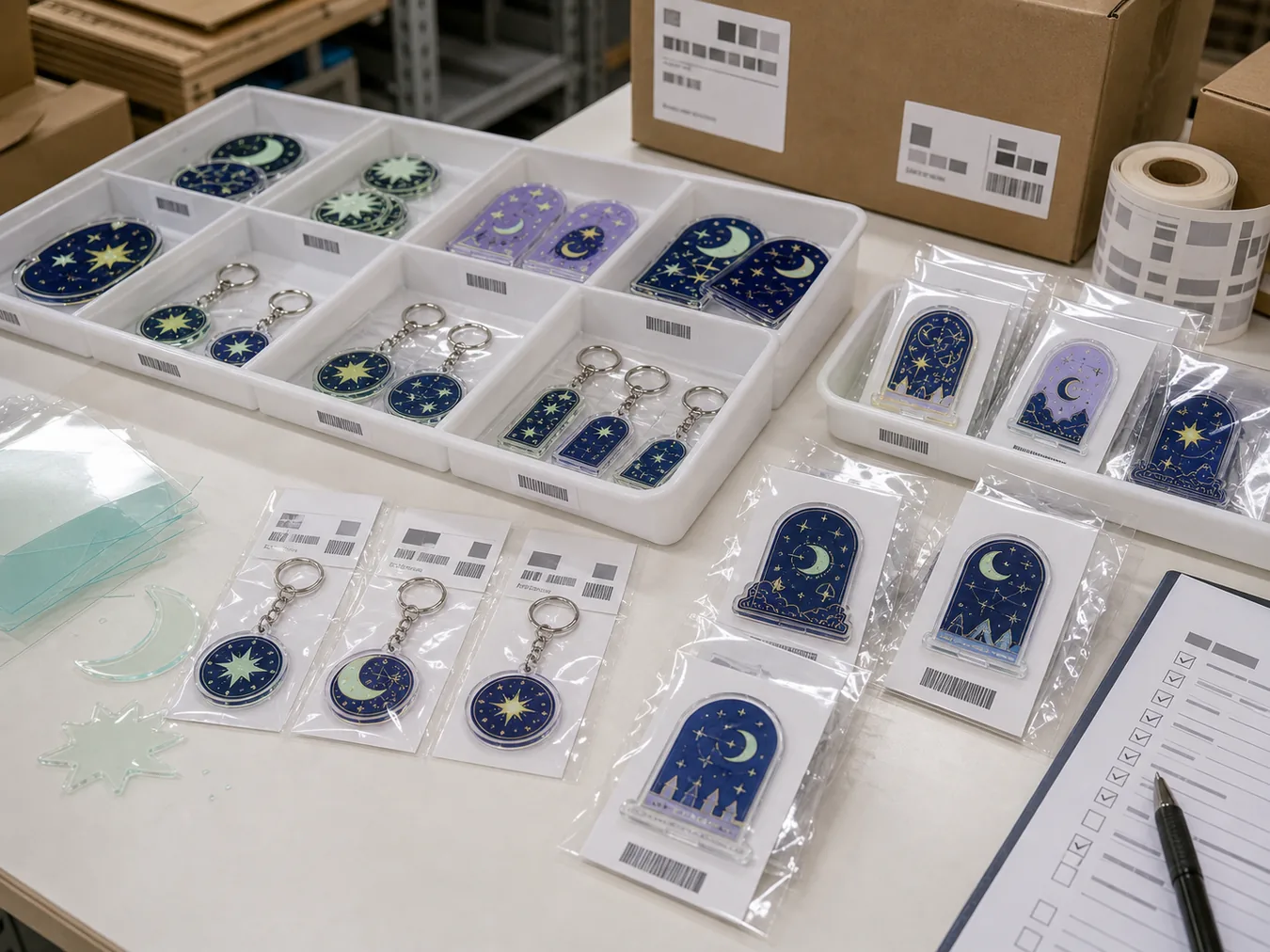
Packaging and Inspection
Organize OPP bags, backing cards, SKU sorting, carton labels, and pre-shipment checks.
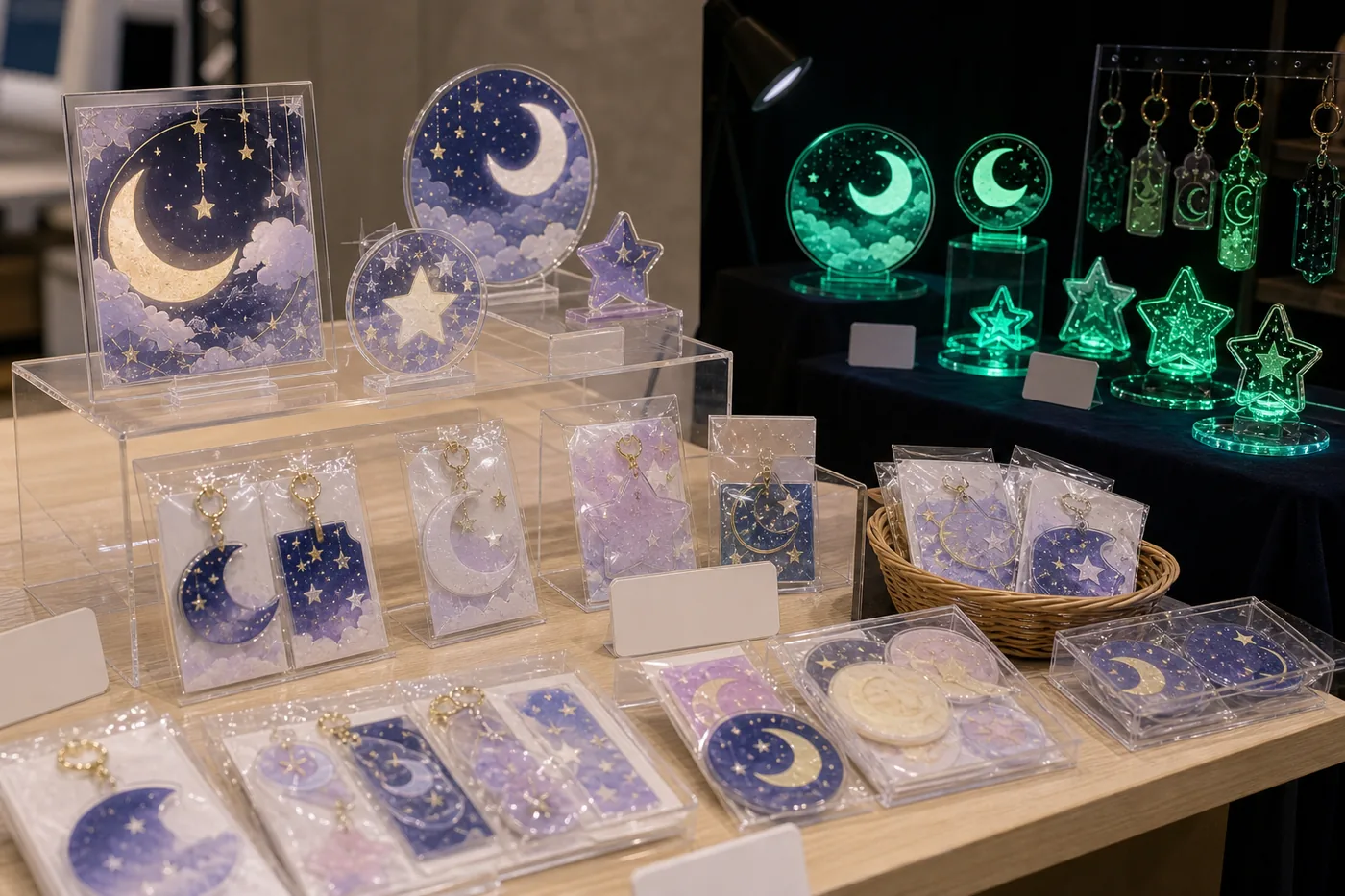
Sales and Display Use
Plan how the glow effect can work for event merchandise, prize goods, and online sales.
Specification Control
Specify Glow Area, White Backing, and Transparent Areas Separately
For glow goods, making the whole item glow is not always the best choice. The artwork data and final look change depending on whether the character outline, background motif, base, star parts, or coaster rim should glow.
- White Backing and Glow Area
- Separate areas that should appear white, stay transparent, or glow in the artwork data.
- Daylight and Dark-Room Difference
- Review normal-light color, dark-room glow, and photo appearance using the same sample.
- Base and Acrylic Edge
- Insert bases, acrylic edges, and hole areas can change how the glow appears, so sample confirmation is important.
Buyer Checklist
Points to Confirm Before Mass Production
For glow acrylic goods, checking not only material appearance but also sales method and packed appearance helps reduce misunderstandings after production.
| Check Item | What to Decide | What to Review in Samples |
|---|---|---|
| Glow Area | Full artwork, outline, base, stars, moon parts, or selected areas | Whether the intended parts glow naturally in the dark and unwanted areas do not stand out |
| White Backing | Character backing, transparent areas, and overlap with glow layer | Whether colors stay clear in daylight and transparent areas are placed correctly |
| Format | Acrylic stand, keychain, coaster, or plate | Thickness, insert fit, hole position, and edge glow appearance |
| Packaging | OPP bag, backing card, random bag, SKU label, and carton | Whether the glow feature is still understandable after packing and SKUs do not mix |
| Photo Review | Daylight photos, dark-room photos, angle variations, and packed photos | Whether the images are useful for sales pages and internal review |
Quote Materials
Materials to Share Before Quotation
You can consult us even if not every file is ready. However, if the glow area changes significantly later, quotation and sample conditions may change, so it is safer to define it early.
AI, PSD, PDF, PNG, or similar files. Materials showing cut lines, white backing, and glow areas help speed up review.
Share size, thickness, single/double-sided printing, base type, hole position, hardware, and whether coasters or plates are included.
Confirm total quantity, number of SKUs, random sales, color variations, backing card, and bag type.
Confirm delivery destination, carton labels, inspection requirements, target schedule, and sales date if available.
FAQ
Frequently Asked Questions
Can the glow duration in dark conditions be fixed or guaranteed?
Glow appearance varies by material, glow area, exposure time, ambient brightness, and shooting conditions. We recommend confirming it through project-specific samples rather than treating it as a fixed guarantee.
Should the entire character glow?
Often, selecting specific areas such as outlines, stars, moon shapes, backgrounds, or bases works better than making the whole artwork glow. We separate glow areas according to the design.
How should transparent areas and white backing be specified?
It is easiest to review when transparent areas, white backing, and glow-layer overlap are specified as separate layers. If the data is not yet organized, we can still separate review items before sampling.
Can you support random sales and multi-SKU packaging?
Yes, we can discuss it. Preparing SKU-specific backing cards, OPP bags, random bags, carton labels, and pre-shipment sorting rules helps reduce mix-up risks after delivery.
Can you reproduce existing characters or logos?
We cannot produce imitations of existing IP, brands, logos, or characters without rights confirmation. Please provide artwork you own or designs with confirmed usage permission.
Do I need dark-room photos when requesting a quote?
They are not required, but if you have a desired glow image, please share it as a reference. Before mass production, reviewing both daylight and dark-room photos is practical.
OEM Consultation
Specification Review and Quotation for Glow-in-Dark Acrylic Goods
We can organize daylight and dark-room appearance, glow area, white backing, SKU, packaging, and delivery conditions, then review them through pre-production samples. Even if artwork data is not complete, initial consultation is possible when the target product and sales method are clear.