BROWSER TOOL / ARTWORK PREFLIGHT
Acrylic Stand Design Preview
Upload artwork in your browser to create a rough acrylic stand design preview. Use the result to discuss character placement, silhouette and base position, then provide editable production data for the cut line, white ink, transparent zones and physical sample.
This page owns preview and preflight intent. It is not an automatic production-data generator and does not target the commercial custom acrylic stand term owned by the core stand page.
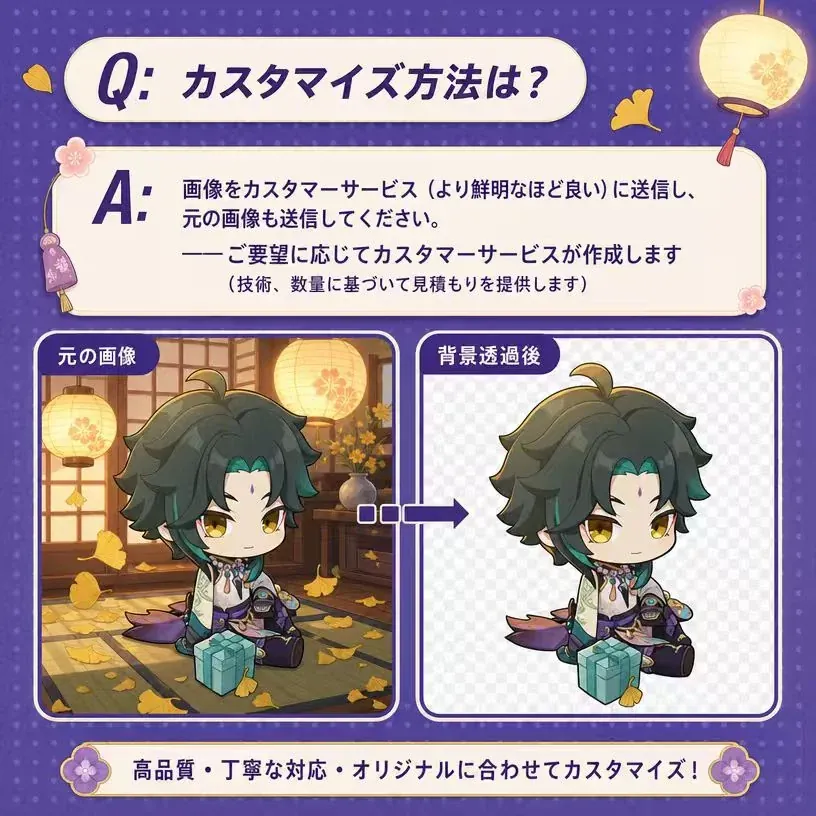
Use a transparent PNG for the clearest rough preview. The image remains in the current browser session.
DIRECT ANSWER
What buyers should know about acrylic stand design preview
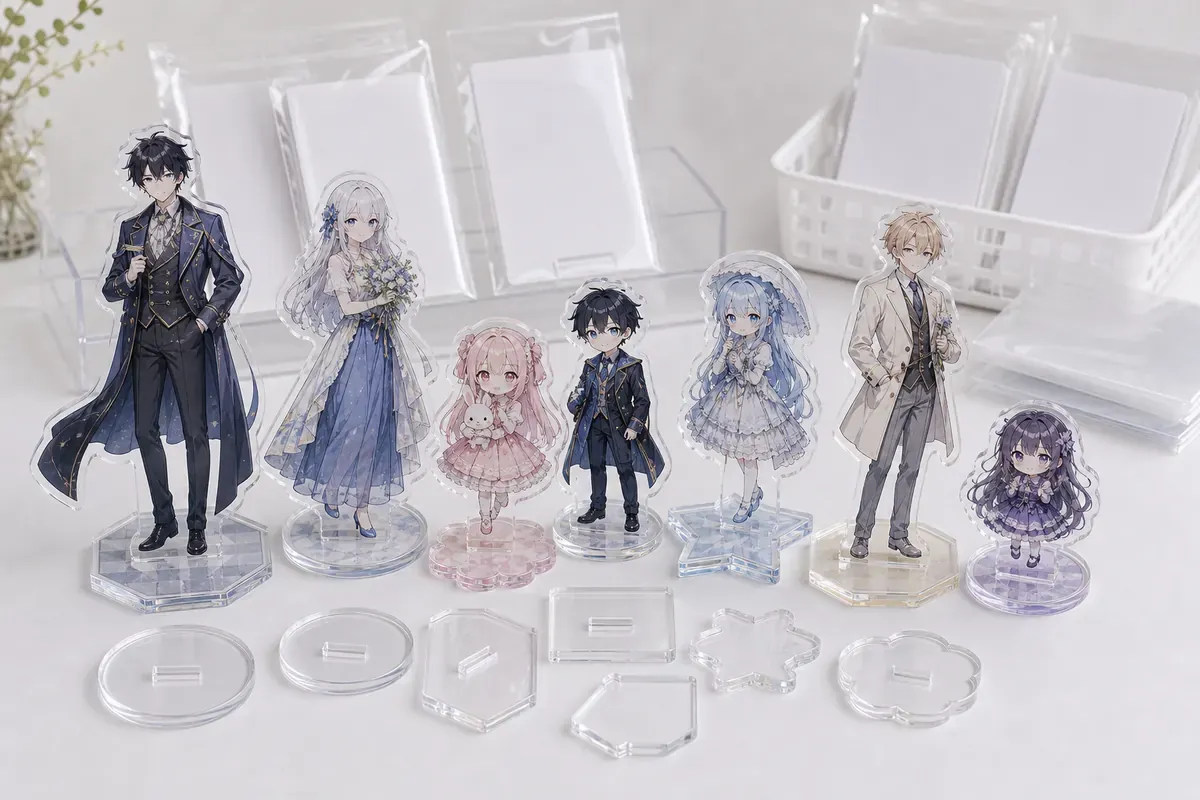
An acrylic stand design preview is a communication tool that places buyer artwork over a stand reference so the team can discuss scale, balance and the intended visual direction. It can reveal obvious issues such as a non-transparent background, excessive empty space or a character positioned too low for the planned base.
The preview is not a manufacturing template. Browser scaling does not define millimeters, cut tolerance, white-ink choke, bleed, color profile or slot geometry. The downloaded image should be treated as a discussion reference and paired with editable artwork before a quotation or production sample is approved.
The most useful handoff separates the color artwork, white ink, cut line, transparent zones and base design. It also states the finished height, orientation, quantity by design, print side and packaging. Those inputs allow engineering and artwork teams to compare the rough preview with a controlled production file.
For the complete product family, use the Acrylic Goods OEM hub. Keep the distinct page intent in this guide instead of repeating one broad acrylic goods description.
PROJECT DECISIONS
Lock the decisions that define this page intent
A product name or channel name is not a complete production instruction. Record the decisions below before artwork, samples and packaging are released.
Transparent artwork
Use a PNG with a real transparent background for the clearest browser preview.
Finished size
State the intended millimeter height or width; the screen preview alone does not set scale.
Cut silhouette
Identify narrow hair, weapons, accessories and interior openings that need production review.
Base relationship
Show the intended tab and base position, then approve slot fit on a physical sample.
SPECIFICATION CONTRACT
Build one quote-ready control sheet
Connect the artwork, physical product, package, SKU and delivery data in one revision-controlled matrix. Mark undecided fields for recommendation rather than allowing different teams to assume different specifications.
| Color artwork | Editable vector or layered raster data with the intended front artwork and color profile. |
|---|---|
| White ink | Separate full, selective and no-white areas so transparency and opacity can be manufactured. |
| Cut line | Closed path outside critical art with approved margin, corners, narrow points and interior openings. |
| Finished size | Target height and width in millimeters, plus any maximum package or display constraint. |
| Base | Shape, size, artwork, material, slot direction and relationship to the body tab. |
| Print direction | Single or double-sided artwork, front orientation and reverse-view expectations. |
| Packaging | Body/base separation, protective film, sleeve or bag, backing support and label requirements. |
| Order | Quantity by design, sample scope, inspection evidence, destination and required arrival date. |
PROGRAM DESIGN
Use the preview to find questions before the production file is built
The tool is most valuable when it creates a concise list of decisions. It should not hide uncertainty behind a polished mockup.
Background check
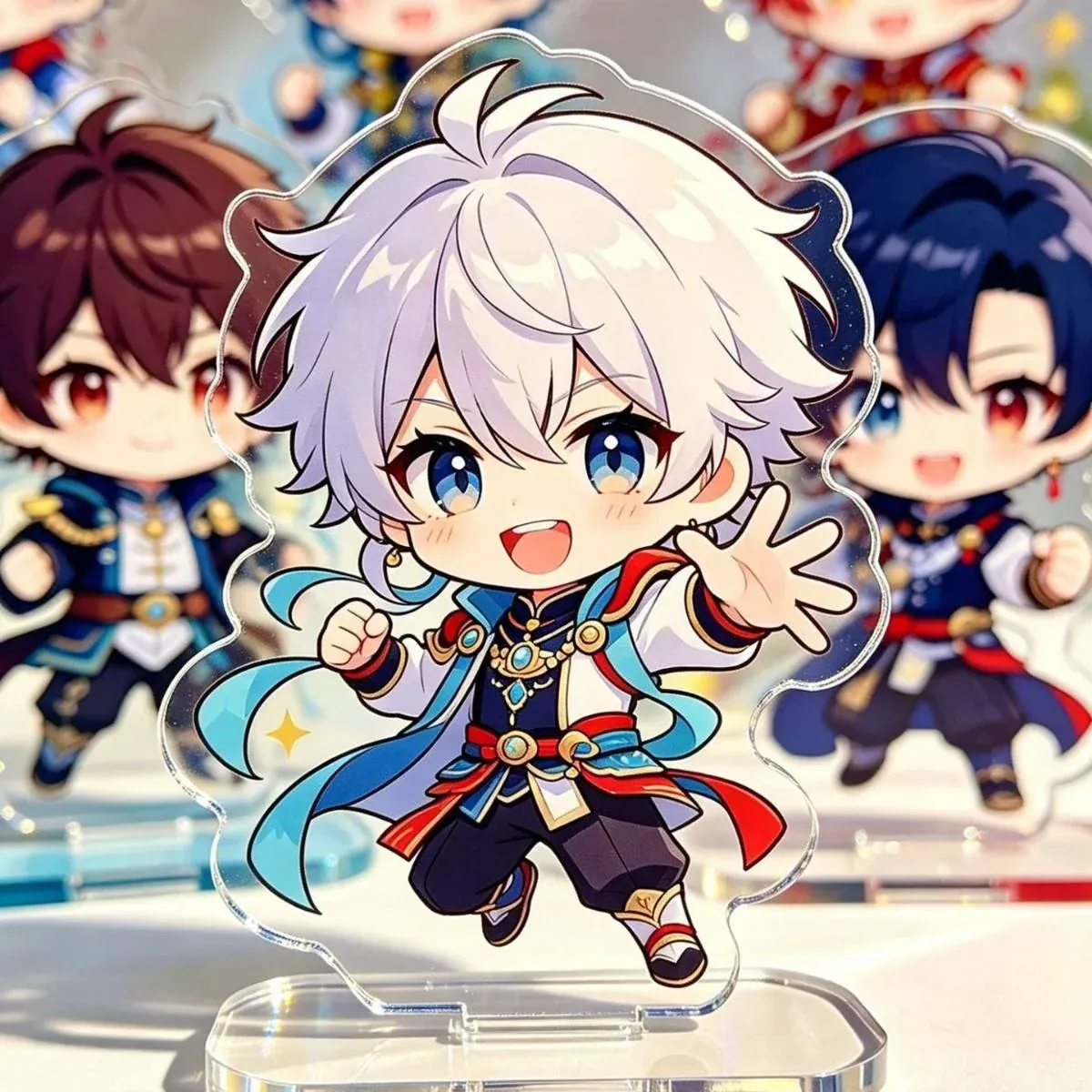
A checkerboard or true transparency should surround the artwork; a white rectangle will print as part of the image.
Silhouette review
Inspect hair tips, weapons, gaps and narrow appendages that may need a stronger contour.
Visual balance
Check whether the character, logo and empty space feel stable above the planned tab and base.
Quote readiness
Record unresolved cut, white-ink, base and packaging questions beside the downloaded preview.
SAMPLE APPROVAL
Approve evidence that answers production questions
Compare the browser preview with the editable production file. Confirm that the final cut line does not remove critical details, that the white-ink strategy preserves intended transparency and that the tab sits under a stable part of the body. A digital proof can approve layout, but it cannot prove material, edge, print opacity or base fit.
Use a physical sample when the stand has narrow points, a large or off-center body, special material, double-sided artwork, a complex base or strict color requirements. Assemble the body and base after protective film removal and check insertion force, lean, wobble, surface condition and pack contents.
- Transparent background
- Finished millimeter size
- Closed cut path
- Critical-detail margin
- White-ink layer
- Tab and base direction
- Assembled sample fit
- Final pack contents
VISUAL EVIDENCE
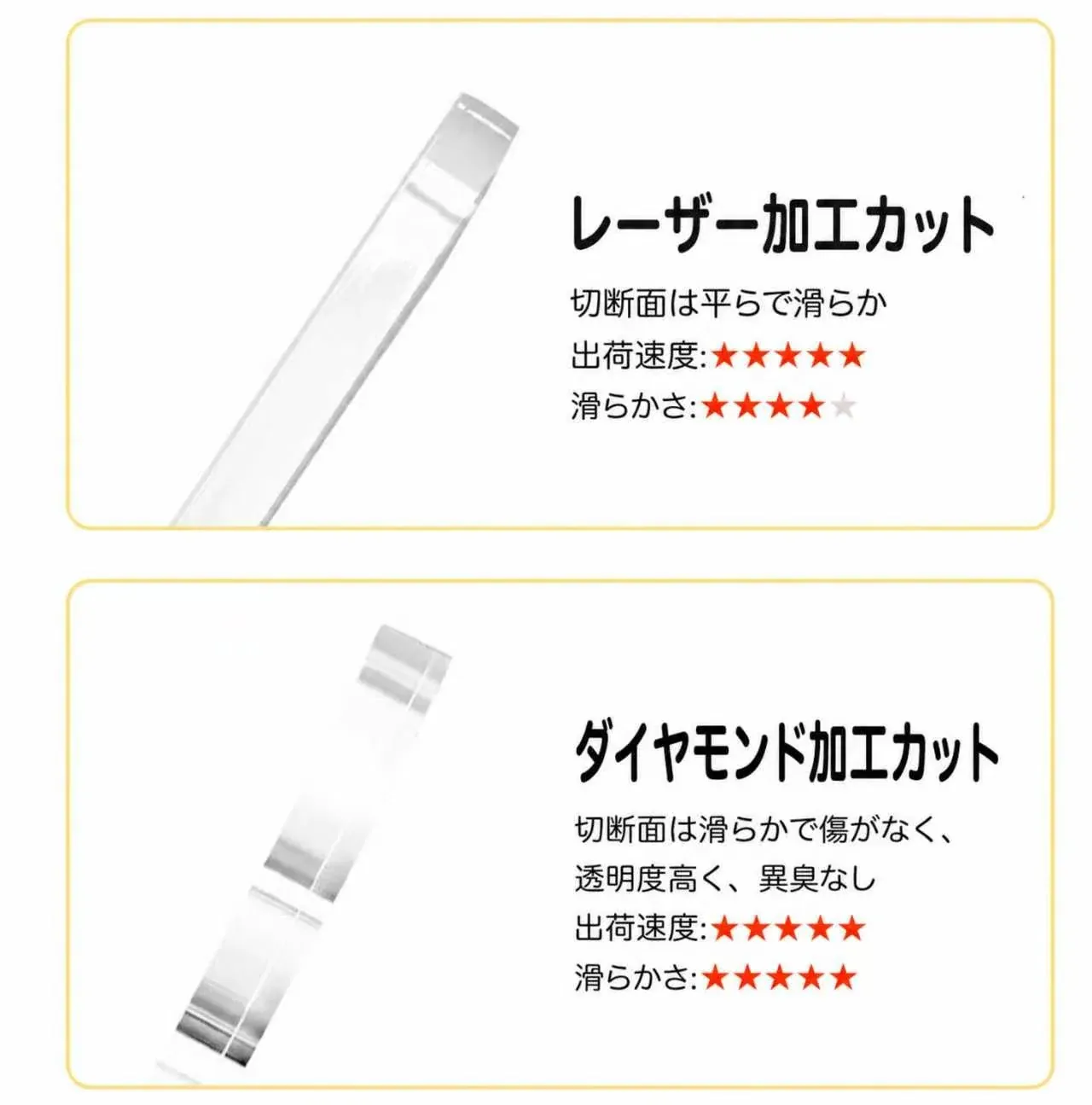
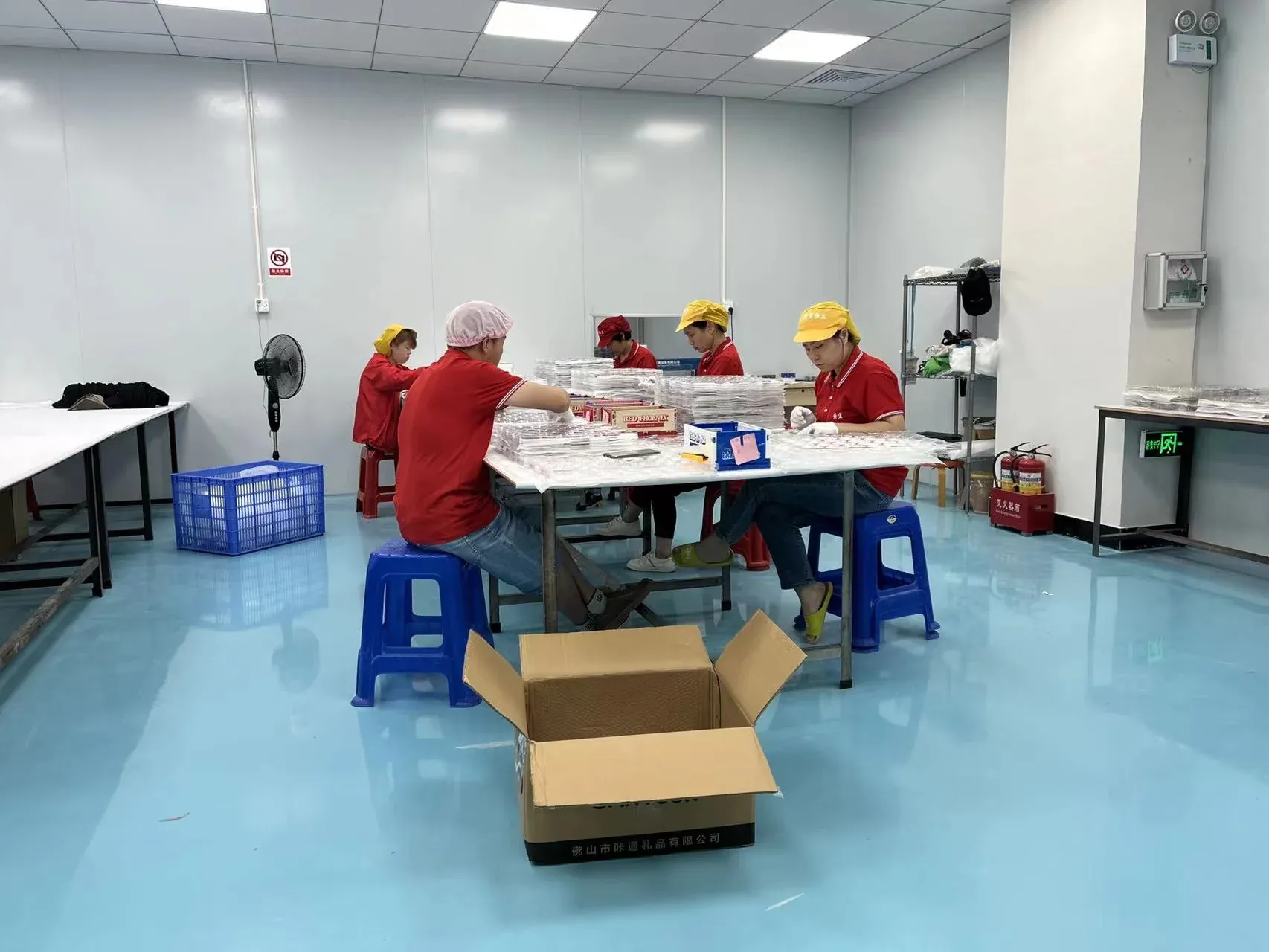
Use real product, packing and QC references
These references support product and process review. The approved physical sample and project-specific specification remain the production authority.
MASS-PRODUCTION RISK
Resolve the failure modes before the bulk release
Risk control is most useful when each failure is tied to a document, sample, inspection method or pack rule.
The preview image is sent as final artwork
Scale, cut line, white ink and editability are missing from the production handoff.
A white background looks transparent on screen
The unwanted rectangle is printed or forces manual artwork reconstruction.
Cut line follows every tiny detail
Narrow points become fragile and edge quality varies across the silhouette.
Base slot is guessed from nominal thickness
The finished stand is loose, tight, tilted or difficult to assemble.
Full white ink is added automatically
Transparent design areas and optical material effects disappear.
Only the body is sampled
The project approves artwork but does not prove assembled stability or packaging completeness.
QUALITY CONTROL
Inspect against the approved SKU and sample
Use the Acrylic Quality Inspection guide to plan the sample size and evidence set. The checkpoints below keep this page's distinct buyer intent visible in QA.
| Artwork identity | Confirm the preview, editable file and sample use the same character and revision. |
|---|---|
| Dimensions | Check finished body, tab, base and slot dimensions against the approved drawing. |
| Inspect color, white ink, registration, transparent zones and front/reverse relationship. | |
| Cut and edge | Review contour, narrow points, chips, haze and protective-film condition. |
| Assembly | Test insertion force, lean, wobble, orientation and stability on a flat surface. |
| Pack | Verify body, base, separators, label, component count and protection from rubbing. |
PACKAGING AND HANDLING
Protect the product and preserve SKU identity
Packaging is part of the sellable specification. Confirm the final unit before bulk packing and use the Acrylic Scratch-Prevention Packaging guide for surface-risk planning.
Body and base
Separate hard surfaces or use sleeves so the base does not scratch the printed body.
Protective film
State whether customers remove film and ensure the instruction is not mistaken for damage.
Backing support
Use a card or tray when the silhouette or tab can flex during handling.
SKU label
Keep design and component information visible without covering critical artwork.
OPERATIONAL HANDOFF
Turn the downloaded preview into a controlled artwork handoff
Name the preview with the project, character and revision, then attach it to the editable artwork package as a visual note. The production file should remain the source of truth for dimensions, cut path, white ink and base geometry. If the preview and editable file differ, resolve the difference before sample preparation.
Record every open question beside the preview: final millimeter size, fragile contour, transparent zone, print side, tab position, base artwork and pack. A short decision list is more useful than a polished mockup with hidden assumptions, and it gives the sample team a clear set of points to prove physically.
QUOTE CHECKLIST
Information needed for a useful production review
Send known inputs and mark open decisions. Quantity by design, the distinct page-specific decision, packaging and destination are required to compare a practical route.
- Downloaded preview image
- Editable color artwork
- White-ink data or intent
- Cut-line data or review request
- Finished body size
- Acrylic thickness
- Base shape and print
- Single or double-sided print
- Quantity per design
- Packaging method
- Delivery destination
- Required arrival date
PRODUCTION WORKFLOW
From buyer brief to documented shipment
Timing is confirmed after artwork, specification, sample, packaging, inspection and destination conditions are known. Do not use an unsupported fixed lead-time claim for an unreviewed project.
- 01 BriefIntent, artwork, quantity and destination
- 02 ReviewProduct, SKU, pack and risk decisions
- 03 SamplePhysical evidence for the highest-risk points
- 04 ApprovalOne final controlled revision and matrix
- 05 ProductionManufacture, sort, pack and inspect by SKU
- 06 DeliveryCarton records and agreed destination split
See the complete OEM Order Process.
FAQ
Acrylic Stand Design Preview FAQ
Does the preview create production-ready acrylic stand data?
No. It creates a rough visual reference. Production still requires editable artwork, a controlled cut line, white ink, finished dimensions, base geometry and sample approval.
Which file works best in the browser tool?
A transparent PNG gives the clearest visual preview. Keep the editable vector or layered source file for quotation and production artwork.
Why does a transparent background matter?
A non-transparent background becomes part of the visible design and makes the silhouette difficult to review. Transparency helps the team discuss the intended cut and print zones.
When is a physical sample required?
Use a physical sample to prove material, color, white ink, edge quality, body-to-base fit, stability and final packaging, especially for complex or high-risk designs.
Can I use the downloaded preview for a quote?
Yes, as a discussion reference. Include editable files, finished size, quantity, base, print side, packaging and destination so the project can be reviewed accurately.
Is uploaded artwork sent to the website server?
The current tool reads the selected file in the browser to create the visual preview. Do not use the preview as a substitute for your controlled production-file handoff.
RELATED RESOURCES
Continue the procurement review
PROJECT REVIEW
Prepare the Acrylic Stand Design Preview brief
Send the artwork, project-specific decisions, quantity by SKU, packaging, inspection needs and destination. Unconfirmed fields can be marked for recommendation.