
B2B PRINTING DECISION GUIDE
UV Printing vsOffset Printingfor Badges & Acrylic Goods
Same artwork, different structures.
Compare print appearance, cost drivers and production risk before you approve a method.
Short answer: choose by SKU mix and product construction, not quantity alone
UV digital inkjet is usually the stronger starting point for short runs, many SKUs, frequent artwork changes, white ink and controlled transparent areas. Offset printing requires plates and make-ready, but it can be efficient for fewer designs at higher volume and offers strong control of fine halftones, gradients and spot colors. There is no universal MOQ cutoff: compare both methods with the same artwork, material stack, finishing and finished-product proof.
QUICK SELECTOR
Start with three purchasing conditions
Use quantity per design, SKU count and the most important quality requirement to select the first method to evaluate.
Quantity per SKU
Short runs usually favor plateless UV; a long run of fewer designs may favor offset.
SKU count and replenishment
For many SKUs or small reorders, compare plates, proofing, sorting and restart costs.
White, gradients and structure
Approve transparency, critical colors and protection of the printed layer on a real sample.
Short runs, many SKUs
Digital switching without conventional plates supports white layers, clear areas, names and numbering.
Fewer SKUs, long runs
Spread setup cost across volume and standardize halftones, gradients, spot colors and production color.
Borderline projects
Proof both methods with the same artwork and finished construction, then compare landed cost and risk.
TERMS & MECHANISM
Separate the terms before comparing the mechanisms
UV can mean digital inkjet, UV-curable offset ink or a selective varnish. State both the process and the printed layer in the RFQ.
UV digital inkjet
A printhead places small ink droplets directly on the material or film, then UV or LED-UV light cures the ink.
Specify the print side, white ink, clear ink, primer and ink system.Conventional offset lithography
The image moves from a plate to a rubber blanket and then onto paper, coated metal or a compatible film.
Specify the print medium, plate count, CMYK or spot colors, and the drying or curing method.UV offset printing
This is still a plate-and-blanket offset process, but it uses UV- or LED-UV-curable offset inks.
Do not confuse UV offset with plateless UV digital inkjet.Spot UV or selective UV
A clear coating is applied selectively to create gloss, matte contrast or a light raised texture. The base image may use another print method.
Define the effect area, build height, rub resistance and bending limits.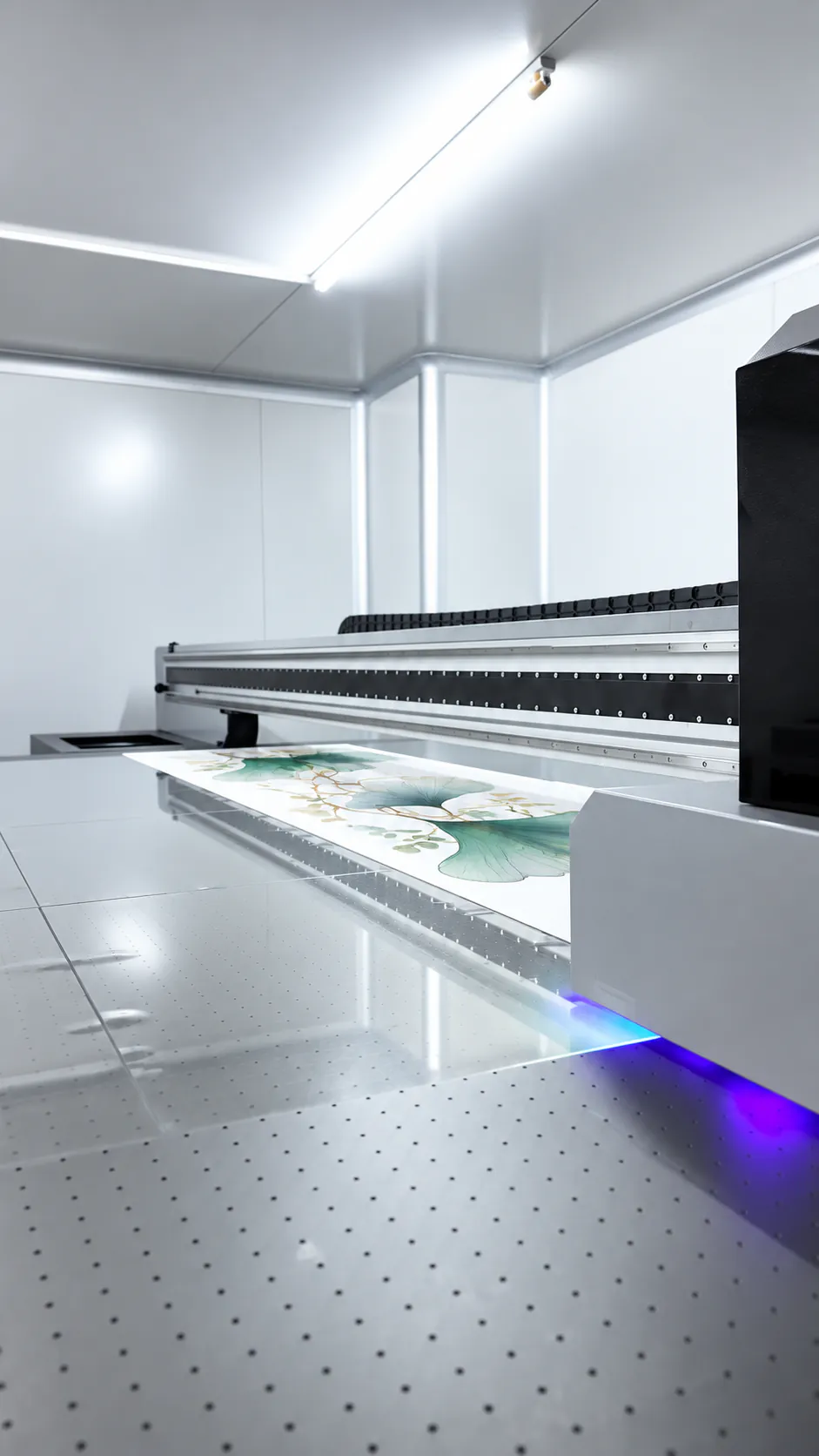 UV DIRECT
Direct ink deposition and UV curing
- 01RIP and channel separation
The RIP separates CMYK, white, clear and primer channels and creates the jetting data.
- 02Ink droplet deposition
Piezo printheads place small droplets directly on the target surface according to the file.
- 03UV curing
Photoinitiators react to UV energy so the liquid ink polymerizes into a solid ink film.
- 04Move to finishing
Cutting or assembly can follow quickly, but adhesion, rub resistance and weathering still require separate approval.
 OFFSET
Plate-to-blanket indirect transfer
- 01Separation and plates
A plate is prepared for each CMYK channel or spot color.
- 02Make-ready
Plates, ink-water balance, ink density, registration and material transport are adjusted.
- 03Indirect transfer
The image transfers from plate to blanket and then from blanket to paper, metal or film.
- 04Drying and finishing
Conventional inks set or oxidize; UV offset inks cure with light before lamination, die-cutting, forming or assembly.
INK & FUNCTIONAL LAYERS
UV inks and functional layers
White, clear and primer expand the design space, but they do not replace cleaning, material compatibility checks or production testing.
| Layer / material | Function | Risk to confirm |
|---|---|---|
| CMYK | Builds the color image and halftones | On clear material, color may look dark or transparent without a white underbase |
| White ink | Provides an opaque underbase or white artwork | Settling, nozzle condition, white halos, registration and opacity |
| Clear ink | Adds selective gloss, matte contrast or light texture | Build height, curing, brittleness and scratching |
| Primer | Supports wetting and adhesion | Does not replace cleaning or testing on the production material |
| Protective layer | Adjusts abrasion resistance and surface gloss | May change clarity, color appearance, thickness and downstream bonding |
19-POINT COMPARISON
A 19-point comparison of UV and offset printing
The goal is not to rank one method as universally better. Choose the process whose risks can be controlled for the actual order and approval plan.
| Comparison | UV digital inkjet | Offset printing |
|---|---|---|
| Image formation | Ink droplets placed directly from digital data | Plate to blanket to print medium |
| Conventional plates | Not required | Normally required per color or plate |
| Fixed setup cost | Usually lower | Plate making and press make-ready are usually higher |
| Variable cost | Changes with print area, white ink, layer count and print time | Unit cost can decline on long runs |
| Many SKUs | Artwork switching is flexible | Imposition, plates, proofs and management can multiply |
| Variable data | Names, numbers and codes are practical | Not a normal fit for conventional offset |
| Clear materials | White and transparent areas are easy to separate digitally | Often uses a print-compatible clear film in an assembled structure |
| Direct print on thick sheet | A flatbed UV machine may handle it | A conventional offset press normally does not |
| Photos and gradients | Depends on heads, droplets, RIP and surface | Fine halftones and tonal transitions are easier to standardize |
| Spot colors | Usually simulated with CMYK or device-specific inks | Custom-mixed spot inks can be used |
| White ink | Common as a dedicated channel | Requires suitable equipment, a separate step or an opaque layer |
| Clear and texture effects | Selective digital layering is possible | Usually added through varnish, embossing or another finishing process |
| Ink film feel | May show texture or a raised edge | Normally flatter and smoother |
| Production speed | Fast setup for short runs; each area is still scanned | Longer setup but strong continuous-run efficiency |
| Drying or curing | UV or LED-UV crosslinking | Absorption, oxidation, heat or UV depending on the ink system |
| Adhesion | Depends on surface energy, cleaning, pretreatment and cure | Depends on material treatment, ink-water balance and drying |
| Rub resistance | Exposed ink requires testing or protection | Paper/film may be protected; direct metal printing needs coating checks |
| Reorders | Small replenishment runs are easier to restart | Plates, make-ready and the previous color standard must be restored |
| Main quote drivers | SKU count, white coverage, print area and layer count | Plate count, imposition, total run, spot colors and finishing |
TIN BADGE STRUCTURE
Button badges: confirm the layer stack before the print method
An offset badge may mean direct printing on flat metal or printed paper wrapped under clear PET. Appearance and inspection points differ.
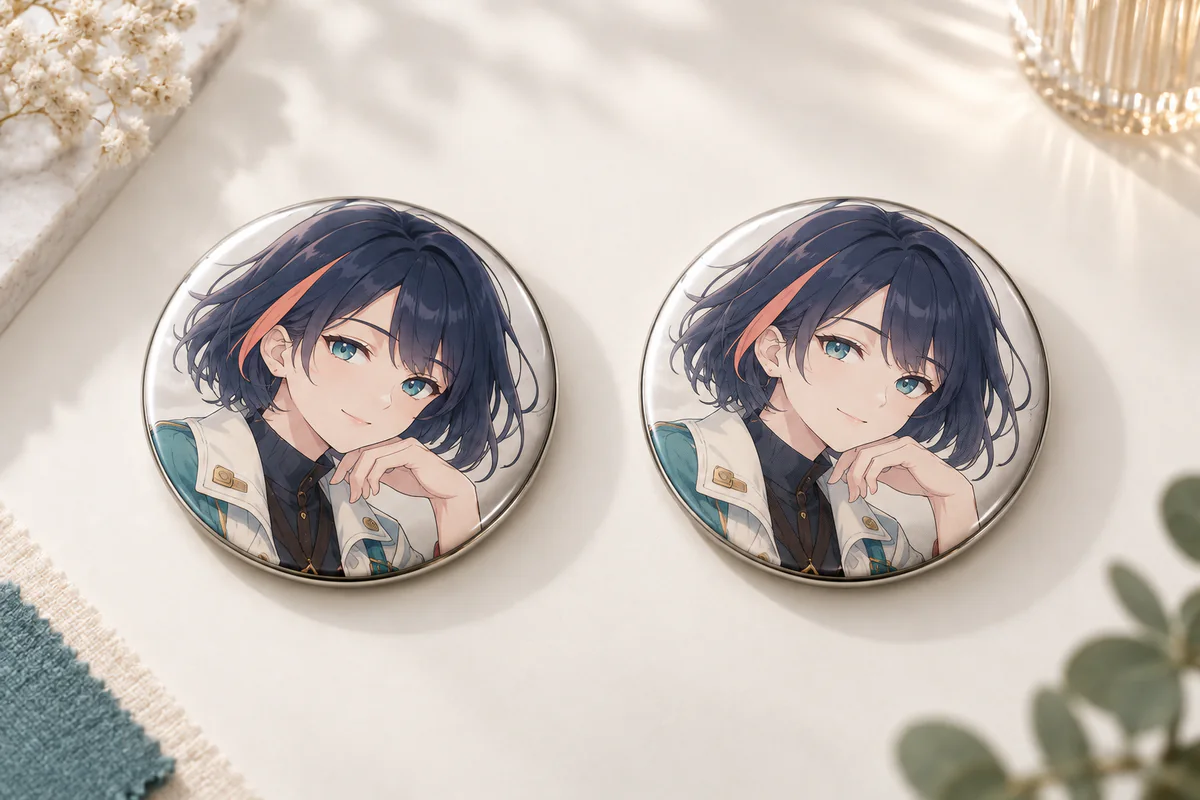
Compare color and surface using the same artwork and size
Judge grain, hairlines, skin tones, dark gradients and gloss under the same conditions. Paper, PET, varnish and coated metal can affect the result as much as the print process.
Printed paper + clear PET wrap
- Printed layer
- Artwork is printed on paper, then wrapped over a metal shell under clear PET film.
- Best fit
- Standard character button badges, photographic art and many designs.
- Main risks
- PET scratches, paper moisture, edge wrinkles and wrap position.
Direct offset on tinplate
- Printed layer
- Artwork is printed on a flat coated metal sheet before blanking, forming and assembly.
- Best fit
- Large runs, a smooth face and projects that avoid paper-wrap wrinkles.
- Main risks
- Cracking at formed areas, registration, protective varnish and coating compatibility.
Direct UV on metal
- Printed layer
- UV inkjet is applied directly to metal or a prepared coating.
- Best fit
- Prototypes, short runs, white ink and selective surface effects.
- Main risks
- Adhesion, abrasion, ink film thickness and compatibility with forming or pressing.
BADGE QC
Six button-badge checks
- Center the front artwork and keep critical details outside the wrap zone.
- Check clear PET for scratches, silver specks, bubbles and visible wrinkles.
- Review skin tones, dark tones, highlights and gradients at final size.
- Confirm pin or clip direction, operating force and orientation to the front image.
- Inspect the crimp, sharp edges and any looseness between the front and back parts.
- For direct metal printing, check cracking and ink loss after forming or bending.
ACRYLIC CONSTRUCTION
Acrylic: separate direct UV from offset-printed PET lamination
The offset route in this guide means printing a compatible clear film and laminating or assembling it with acrylic, not feeding a thick acrylic sheet through a conventional offset press.
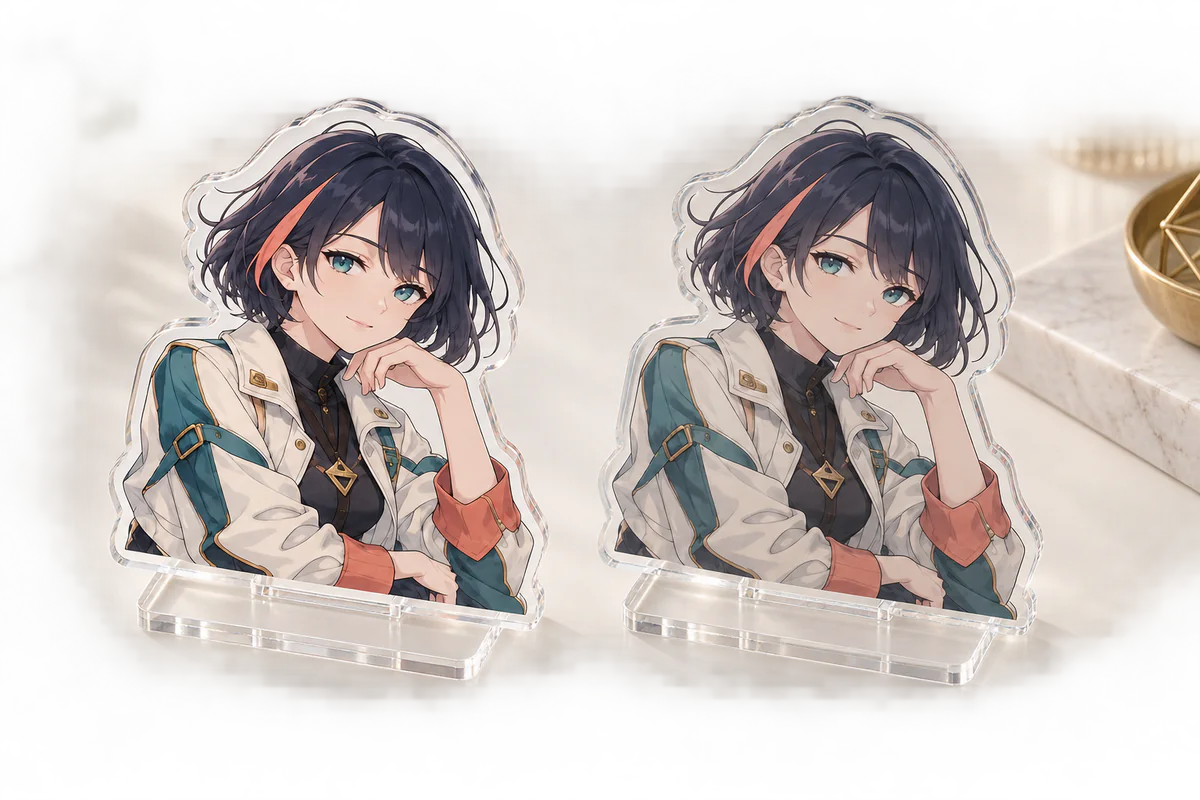
Specify the viewing side, white layer and adhesive stack
Direct UV builds ink on the front or reverse surface. A laminated construction combines printed PET and acrylic. The layer position changes gloss, depth, abrasion exposure, bubble risk and edge-lift risk.
| Comparison | Direct UV acrylic | Offset-printed PET + acrylic |
|---|---|---|
| Image location | Directly on the front or reverse of acrylic | Inside a laminated stack between printed film and acrylic |
| Short runs / many SKUs | Flexible digital switching | Confirm minimums for plates, imposition and lamination |
| Fine lines / gradients | Depends on printhead and RIP | Fine controlled halftones can be an advantage |
| White underbase | Specified as an independent digital channel | Determined by the film print and opaque-layer design |
| Printed-layer protection | Reverse printing is protected by acrylic; front printing is exposed | The printed layer can be enclosed within the structure |
| Clarity risks | Droplet pattern, white halo, film thickness and surface texture | Adhesive haze, bubbles, dust and lamination misalignment |
| Finishing risks | Scuffing, peeling and white-ink cracking | Edge lift, delamination, yellowing and differential expansion |
| Typical fit | Samples, short runs, many SKUs and controlled transparent effects | Few SKUs at volume, fine tonal work and protected print layers |
SAMPLE APPROVAL
Six items to keep on the approved sample sheet
- Viewing side and print side: front print, reverse/mirrored print or internal layer.
- Color and white sequence: white + color, color + white, or color + white + color.
- Transparent zones: fully clear, translucent or opaque areas.
- Film and adhesive: material, thickness, lamination direction and edge treatment.
- PMMA sheet: cast or extruded, thickness, tint, haze and protective film.
- Finishing: laser or CNC cutting, edges, holes, slots and base fit.
QUANTITY × SKU × COST
Compare quantity per SKU, not only the total order
One design x 1,000 units and 20 designs x 50 units have the same total, but very different plate, proofing, changeover and sorting costs.
| Order structure | UV cost driver | Offset cost driver | Recommended action |
|---|---|---|---|
| 1 design x 1,000 units | Print time is incurred unit by unit | Plate and make-ready cost can be spread | Request both quotes under the same specification |
| 20 designs x 50 units | Low burden when switching files | Plates, imposition, proofing and sorting become complex | Evaluate UV first |
| High white-ink coverage | More ink and passes may be required | Film and opaque-layer cost may increase | Separate the white-layer cost |
| Urgent replenishment | No new conventional plate, but the color standard must be maintained | Press restart and color-standard recovery are required | Confirm reorder MOQ and color tolerance |
| Multiple sizes / custom shapes | Jigs, placement and cutting cost increase | Imposition efficiency and tooling change | Provide a size-by-size quantity table |
PROOFING, QC & RISK
Make the physical proof the production acceptance standard
Freeze adhesion, white coverage, clarity, registration, cutting, assembly and packaging alongside color in one approved construction.
 PHYSICAL SAMPLE / QC
APPROVED SAMPLE
A screen or paper proof shows appearance.
A physical sample decides product acceptance.
UV ink can still peel after curing if the material, cleaning, pretreatment or exposure condition is unsuitable. Approve appearance and function separately on the production material and finished construction.
DIGITAL / CONTRACT PROOF
Check content and the color target
PHYSICAL STRUCTURE SAMPLE
Judge function on the real material stack
FIRST ARTICLE / MASS PRODUCTION
Match production back to the approved sample
4-STEP SAMPLE APPROVAL
Four steps from physical proof to production standard
An approved sample is not just one piece to look at. It is the physical master and recorded specification that makes production decisions repeatable.
- 01
Freeze production conditions
Record the artwork revision, material and lot, front/reverse print, white layer, primer, adhesive, finishing and packaging on the sample sheet.
A different structure is not the approved production sample. - 02
Test adhesion and rub resistance
Define the cross-cut/tape method for adhesion and the rub material, load, cycles and direction for abrasion. Agree the pass level for the project.
UV-cured is not a substitute for an adhesion result. - 03
Check clarity, lamination and assembly
Inspect haze, dust, bubbles, adhesive marks and edge lift from the front, back and raking light. Assemble the actual base, hardware, crimp, film and package.
Judge appearance and function in the finished-product condition. - 04
Approve and transfer to production
Record the approval date, approver, retained quantity, photos, measurements and tolerances, then match first articles and in-process samples to the same master.
Use records, not a verbal instruction to make it look similar.
RETAINED SAMPLE RECORD
Six records to retain with the approved sample
- Approved sample ID, artwork revision and approval date.
- Material, film, adhesive and ink identification.
- Device, print mode, white layer and pretreatment conditions.
- Light source, viewing direction, color reference and measurement position.
- Test method, test timing and acceptance range.
- Quantities retained for the approved sample, first article and in-process checks.
PRE-PRODUCTION INSPECTION
Ten pre-production acceptance checks
These methods are starting points. Put the test conditions and acceptable range in the order specification for the material, use, market and construction.
| Inspection | Method | Define in the order specification |
|---|---|---|
| Adhesion | Cross-cut or tape test on the same material and pretreatment | Allowed removal grade and test timing |
| Rub / scratch resistance | Fix the rub material, load, cycles and direction | Allowed color loss, scratching and gloss change |
| Cure condition | Check tack, odor, hardness and downstream bonding | No tack and no negative effect on assembly |
| Color | Compare with the approved sample under the specified light | Critical colors and color-difference tolerance |
| White underbase | Inspect voids, halos, pinholes and opacity | Viewing distance and acceptance range |
| Registration | Compare CMYK, white, film and cut line | Registration tolerance and keep-out area |
| Clarity | Inspect haze, dust, bubbles, adhesive marks and scratches | Visible-face acceptance standard |
| Cut / hole position | Measure dimensions and fit the base or hardware | Dimensional, hole-position and fit tolerances |
| Pin badge assembly | Inspect crimp, pin direction and pull resistance | No looseness or sharp exposed edge |
| Packaging | Simulate stacking, transport and unpacking | Film, bag, backing card, quantity and scratch criteria |
DEFECT TROUBLESHOOTING
Eleven defects and where to investigate
Trace the cause through material, pretreatment, artwork, lamination, forming and packaging - not only the printing machine.
| Defect | Likely causes | Check / improve |
|---|---|---|
| UV ink peels | Low surface energy, oil, fingerprints, unsuitable pretreatment or under-cure | Clean and handle without contact, compare primers, test on production material |
| Banding / missing nozzles | Nozzle loss, head height, bidirectional calibration or feed | Run a nozzle check, clean, calibrate, secure the material and review speed |
| White halo | Color-to-white misregistration or excessive white spread | Adjust choke/spread and approve at actual size |
| Visible grain | Large droplets, fast mode, RIP screening or rough surface | Compare print mode, RIP and material surface |
| Ink-film cracking | Rigid ink, heavy build, bending, pressing or temperature change | Review flexible ink, film thickness and process order |
| Offset misregistration | Paper/film stretch, press register or ink-water variation | Control environment, tension, register marks and in-process monitoring |
| Set-off / scuffing | Conventional ink not set or excessive stack pressure | Adjust drying time, ink, spray powder and pile height |
| Color variation between lots | Changes in material, ink, density, white or gloss | Retain the approved sample and record material, density and color difference |
| Bubbles / haze | Adhesive, dust, lamination pressure or incompatible materials | Use clean lamination, select adhesive/pressure and run aging tests |
| Delamination / edge lift | Insufficient adhesive, expansion mismatch or edge stress | Check temperature-humidity cycling, edges and material pairing |
| Wrinkles at badge edge | Paper/film thickness, wrap dimensions or pressing force | Freeze the paper/film specification, die and press settings |
SAFETY & COMPLIANCE
Verify compliance for the final use
- Uncured UV ink may contain ingredients that irritate or sensitize skin and eyes. Production workers should follow the ink-specific SDS.
- Cured ink alone does not prove compliance for food contact, young-child use or a specific sales market.
- Verify documents for the ink, substrate, adhesive, hardware and packaging according to the final use.
ENVIRONMENT
Do not judge environmental impact by the process name
- LED-UV can switch on and off quickly and may reduce heat load, but that does not automatically prove a lower total lifecycle impact.
- Offset includes plates, make-ready waste, cleaning and residual ink; long-run efficiency alone does not describe material loss.
- Laminating acrylic and PET creates a composite structure, so local collection systems and practical separability matter.
- Avoid unsupported absolutes such as pollution-free, fully eco-friendly or 100% recyclable.
B2B PROCUREMENT CHECKLIST
Organize 14 inputs for a comparable quotation
Use the same finished size, packing and quality conditions for the UV and offset options. Mark undecided items as supplier proposal requested.
Review 14 procurement inputs before requesting quotes
The checkboxes are a browser-only review aid. Nothing is submitted or stored.
Complete the six-page A4 checklist, then attach or summarize it in the contact form when you are ready to discuss production.
BUYER FAQ & EVIDENCE
18 buyer questions, answered with conditions and exceptions
Each answer is written to stand on its own and matches the FAQ structured data on this page.
Q01Is UV printing always sharper than offset printing?+
No. Sharpness depends on the device, print mode, droplet or halftone structure, material surface and artwork. UV is flexible for short runs and functional layers; offset often gives strong control of fine halftones and smooth gradients.
Q02Can UV-cured ink still peel?+
Yes. Curing and adhesion are different checks. Surface energy, contamination, primer, film thickness and cure conditions must be tested on the intended production material.
Q03Can a conventional offset press print directly on thick acrylic?+
That is not the construction compared here. This guide treats offset-printed clear PET or a similar compatible film that is laminated or assembled with acrylic.
Q04Why is a white underbase used on clear acrylic?+
CMYK inks are transparent. White supports opacity and color appearance, while areas without white can remain visually transparent.
Q05Why is reverse-printed acrylic artwork mirrored?+
The viewer sees the artwork through the acrylic from the opposite side. State who mirrors the file so the buyer and factory do not both reverse it.
Q06Which method is more scratch-resistant?+
The method name alone does not decide this. Check whether the ink is exposed or protected behind acrylic or clear film, and test edges and adhesive layers as well.
Q07At what quantity does offset become cheaper?+
There is no universal cutoff. SKU count, plate count, imposition, white coverage, material, finishing, packaging and factory equipment all move the crossover point. Quote both under one specification.
Q08If the total order is large but each SKU is small, should we use offset?+
Not automatically. Multiple plate sets, proofs, changeovers and sorting can cancel part of the scale benefit when the quantity per design is low.
Q09Is a spot color always more accurate than CMYK?+
A mixed spot ink can be a strong choice for a critical brand color, but the substrate, white base, gloss and finishing still change appearance. Approve a physical sample.
Q10Can UV printing create a raised texture?+
Some machines can stack clear or other inks for a light raised effect. Specify height and feel, then test brittleness, rub and package pressure for the actual equipment.
Q11Why can UV printing look grainy?+
Droplet size, scan passes, RIP screening, print mode, substrate surface and curing all affect the visible texture. Judge it at final size and normal viewing distance.
Q12Can offset proof and production colors differ?+
Yes. Ink-water balance, density, dot gain, substrate lot, drying and lamination can change color. Match first articles back to the approved physical standard.
Q13Does white ink block all light?+
Not in every case. Opacity changes with ink, number of layers, film thickness, background and artwork. Approve a white-layer sample on the real material.
Q14Will specified transparent areas be perfectly clear?+
Ink, primer, adhesive, PET and the acrylic itself can introduce haze. Define acceptable appearance for the clear window in the sample approval.
Q15Will a reorder match the first production lot exactly?+
Do not assume a perfect match. Retain the approved sample and records for material, ink and equipment, then agree a color tolerance for replenishment lots.
Q16Are offset button badges printed directly on metal?+
Some are printed directly on flat tinplate; others use printed paper wrapped under clear PET. Require the quote to identify the printed medium and complete layer stack.
Q17Is UV printing more environmentally friendly than offset?+
The process name is not enough. Evaluate energy, ink safety, material waste, plate making, cleaning, composite materials, transport and practical end-of-life routes.
Q18Can we skip a physical proof?+
It may be possible for a stable repeat specification, but it is risky for new materials, new constructions, critical skin tones, transparent effects or large runs. A digital proof cannot verify adhesion, clarity, lamination or assembly.
NEXT DECISION
Related specification guides
This page owns the UV-versus-offset purchasing decision. Product-specific details remain on the specialist pages below.
SELECTED TECHNICAL REFERENCES
Technical references used for this decision guide
The list prioritizes equipment manufacturers, color and print-technology bodies, and production references directly relevant to purchasing. A capability shown for one device or factory does not guarantee the same result everywhere.
- S1UV Ink Is Not Adhered to the SubstratesMimaki Engineering
- S2How to Test UV Ink AdhesionRoland DGA
- S3
- S4Prinect Inspection Control 4HEIDELBERG
- S5
- S6
- S7Printing Methods for Button BadgesCan Badge Factory
- S8Printed-Film Acrylic ConstructionAcrylic King
NEXT ACTION · ORGANIZE THE BUYER BRIEF
Put the production requirements into one buyer PDF.
Record the artwork, quantity per SKU, product construction and acceptance criteria first. When the brief is ready, use the contact form to discuss the two production options on equal terms.
The download is a six-page A4 worksheet. This article does not contain a submission form.