
Why Do Laser-Cut Acrylic Edges Turn White, Cloudy, Rough, or Striated?
A clear acrylic edge is not controlled by power or speed alone. Material condition, optics, focus, motion, heat input, airflow, exhaust, table reflection and corner behavior all affect the finish. This guide turns a vague request for a “clear edge” into a controlled trial and approval process for B2B production.
Define the defect first. Then change one condition at a time.
Authorized process video: approximately 15.7 seconds, 1920×1080. It shows one cutting step for printed acrylic; it does not prove universal parameters or a complete quality-control process.
White, cloudy or striated edges require a controlled diagnosis—not a single “best” setting.
The main variables are acrylic type, lot and moisture history; lens, focus and beam alignment; mechanical vibration; power, speed and frequency; air assist; exhaust; table reflection; and heat accumulation at corners. Record the visible symptom, restore the machine baseline, change one variable at a time, and lock the approved sample and production conditions together.
Name the edge defect before changing parameters
Separate edge haze, striations, roughness, corner melt and bottom-side damage.
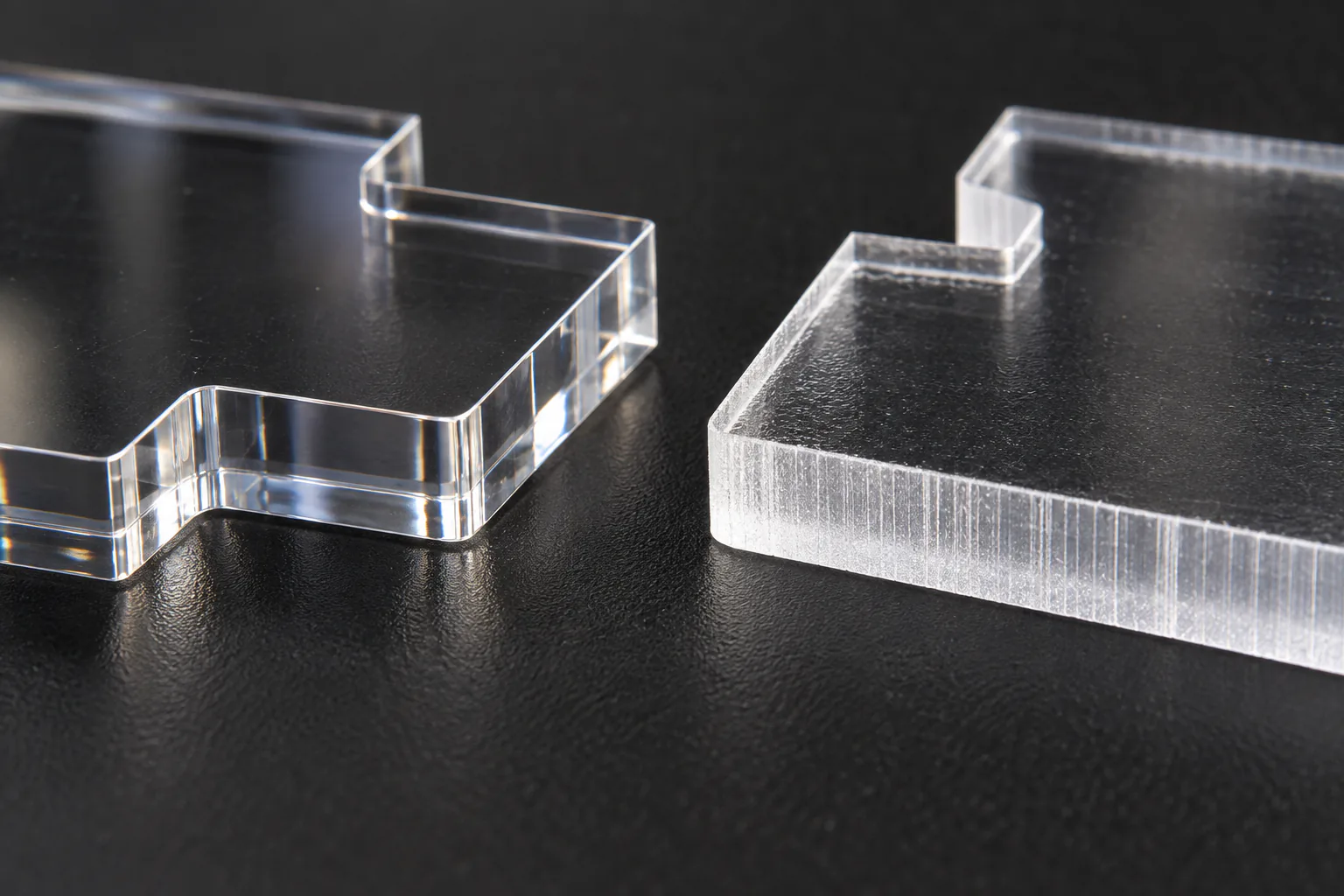
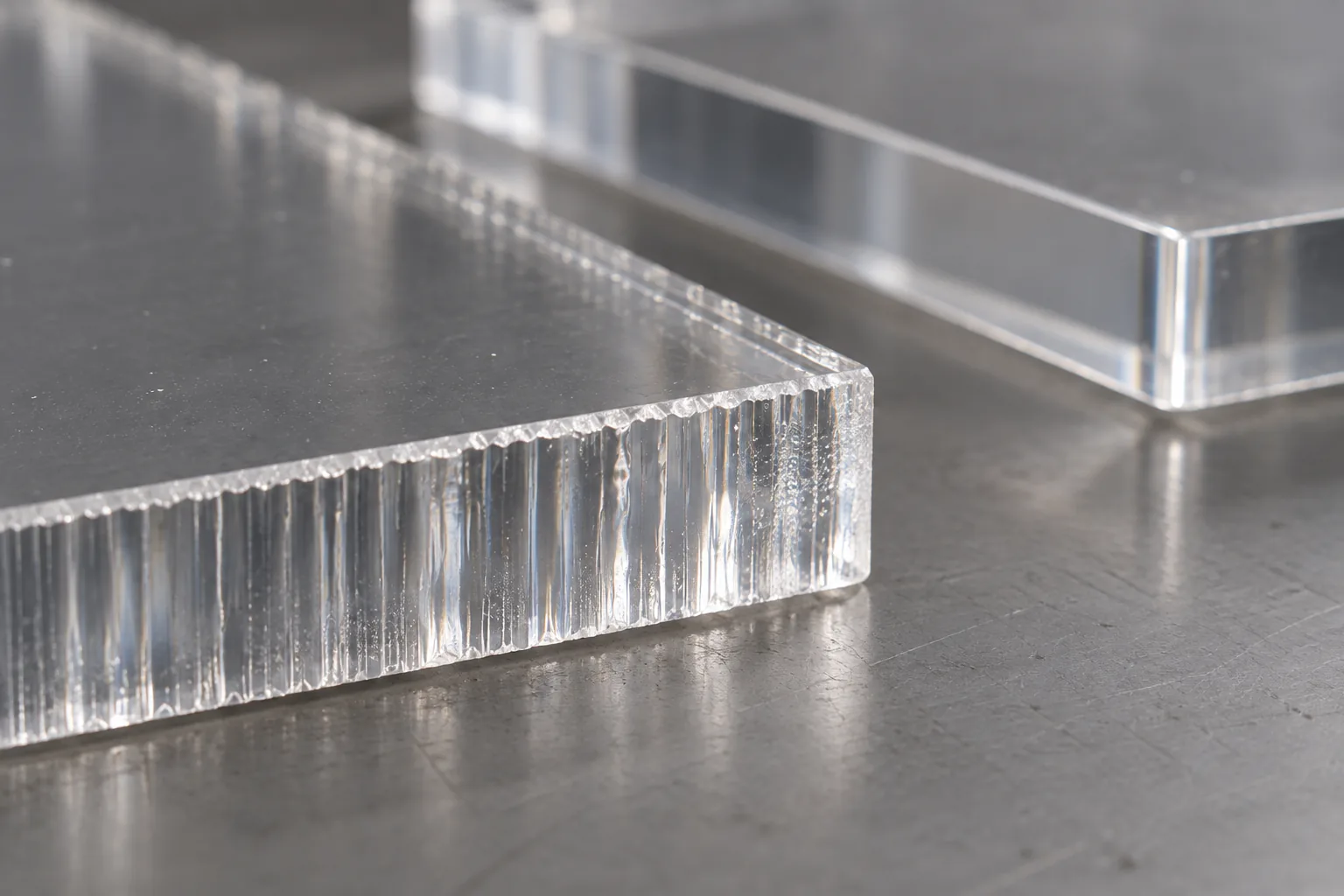
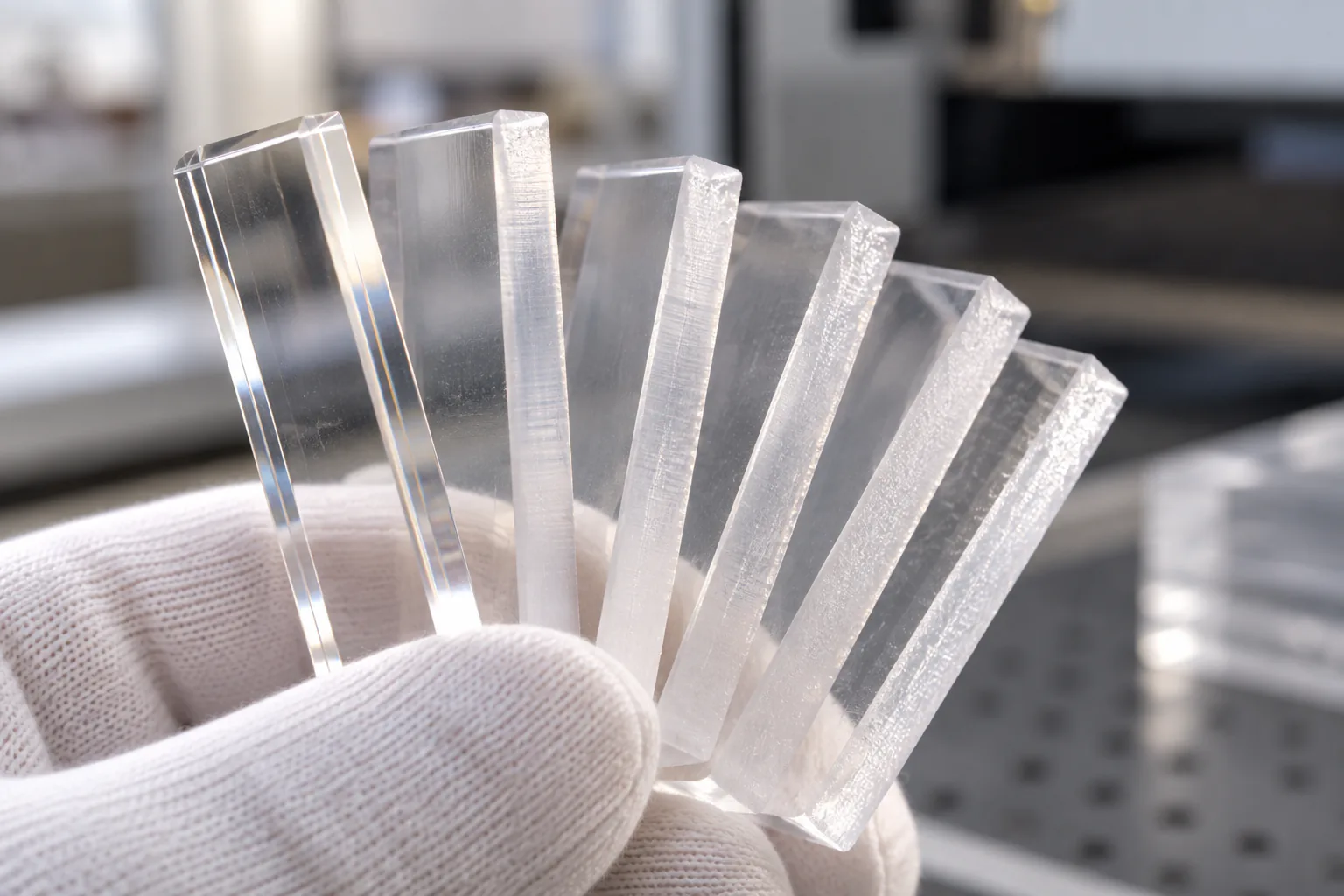
Vertical striations or ripples
Observe their pitch and direction. Check focus, frequency, beam path, guides, belts and vibration.
White or cloudy edge
Use white and black backgrounds to separate haze inside the edge from residue deposited on the surface.
Rough or uneven edge
Compare the top, middle and bottom of the thickness. Check lens choice, focus position and cutting capacity.
Melted or oversized corners
If straight edges are acceptable but corners are rounded, examine deceleration, dwell time and local heat.
Table reflection or flashback
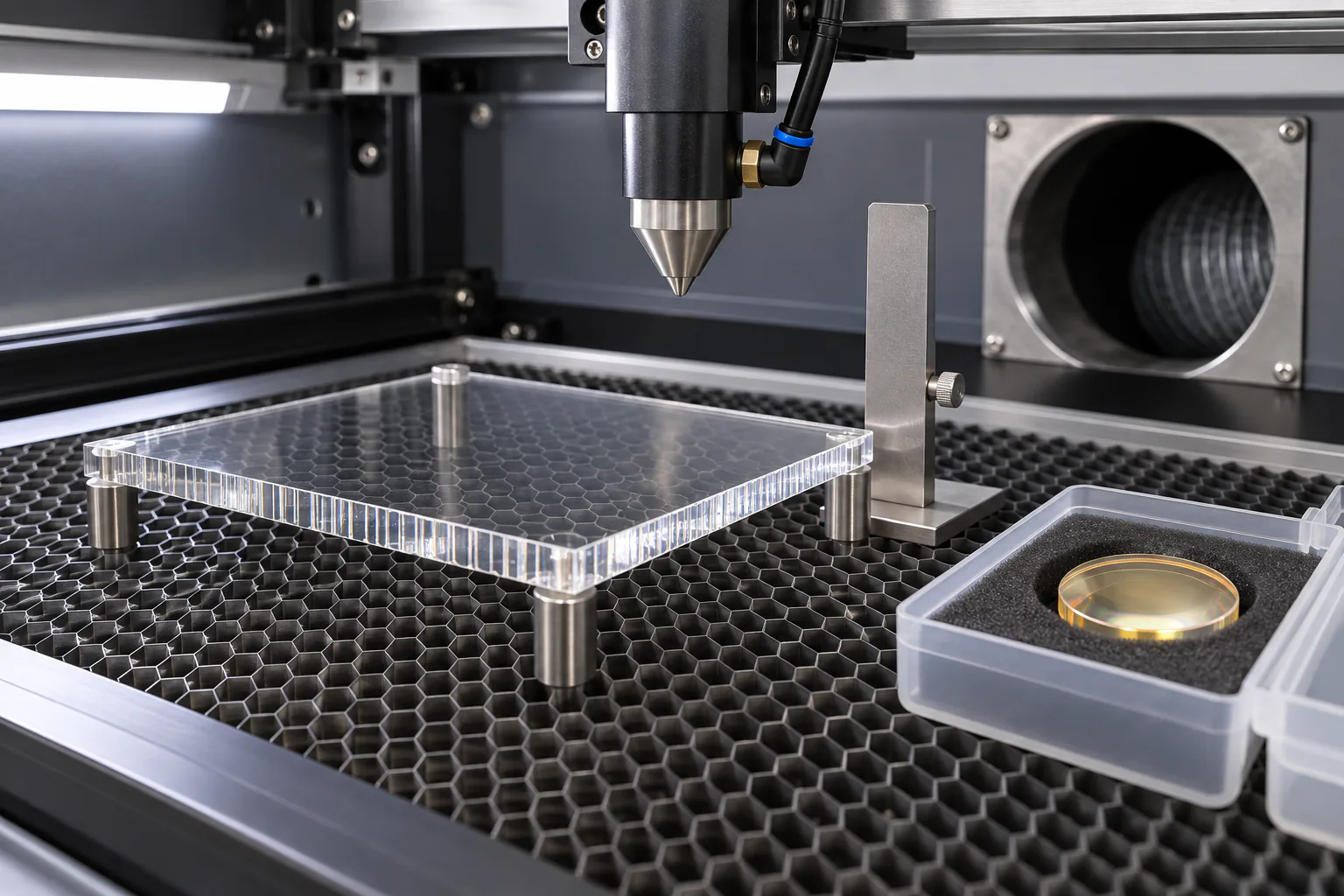
For bottom-only spots or contamination, compare the usual setup with the sheet supported above the honeycomb.
Bubbles or particles
Before changing settings, record opening date, storage humidity, drying history and differences between lots.
Three shop-floor views—and what still needs validation
These are summaries of opinions shared by three different factories. Each observation is separated from a validation note so that machine-specific advice is not presented as a universal rule.
Check focus, beam path and lens first
For uneven or white edges, the source recommends checking focus, beam alignment, lens contamination or damage and honeycomb reflection, then comparing airflow, speed, power, material and machine.
Reduce corner dwell and local heat
For melted or over-rounded corners, the source suggests using corner-motion control to reduce dwell and lowering local heat input.
Control material, 150 W settings and assist-gas pressure
For jagged or rippled edges, the source proposes cast acrylic, a 150 W machine parameter table and controlled assist-gas pressure.
150 W CO₂ laser reference values for 1–10 mm acrylic
The values below are transcribed from the provider's source table. Machine model, measured output, lens, nozzle, focus, frequency, exhaust and acrylic brand were not supplied. Use the table only to design a controlled test, not as a transferable recipe.
| Acrylic thickness | Power ratio | Cutting speed | Assist-gas pressure | bar conversion |
|---|---|---|---|---|
| 1 mm | 40–50% | 30–40 mm/s | 0.2–0.3 MPa | 2–3 bar |
| 2 mm | 45–55% | 25–35 mm/s | 0.2–0.3 MPa | 2–3 bar |
| 3 mm | 50–60% | 20–30 mm/s | 0.3–0.4 MPa | 3–4 bar |
| 4 mm | 55–65% | 15–25 mm/s | 0.3–0.4 MPa | 3–4 bar |
| 5 mm | 60–70% | 12–20 mm/s | 0.4–0.5 MPa | 4–5 bar |
| 6 mm | 65–75% | 10–18 mm/s | 0.4–0.5 MPa | 4–5 bar |
| 7 mm | 70–75% | 8–15 mm/s | 0.5–0.6 MPa | 5–6 bar |
| 8 mm | 75–80% | 6–12 mm/s | 0.5–0.6 MPa | 5–6 bar |
| 9 mm | 80–85% | 5–10 mm/s | 0.6–0.7 MPa | 6–7 bar |
| 10 mm | 85–90% | 4–8 mm/s | 0.6–0.7 MPa | 6–7 bar |
Conflict with the 65% noteThe source also says normal cutting power should be 65% or less, while rows for 5–10 mm include values above 65%. Do not transfer the thick-sheet rows directly into continuous production.
MPa versus barThe listed 0.2–0.7 MPa equals 2–7 bar. This is not the same premise as Trotec's low-pressure guidance for its own setup.
No clear-edge guaranteeFix the material, lot, lens, nozzle, focus, frequency, exhaust and support, then decide from one-variable trials and an approved sample.
Match each visible defect to checks and corrective actions
Technical references: Mitsubishi Chemical ACRYLITE troubleshooting, Trotec's acrylic edge guide and ACRYLITE laser machining guidance. Factory observations A/B/C remain separate experience reports.
| Symptom | Likely contributors | First check | Controlled action | Record |
|---|---|---|---|---|
| Striations or ripples | Focus error, beam path, frequency, insufficient energy, mechanical vibration | Line direction and pitch, lens, alignment, guides and belts | Restore optics, then vary frequency or energy in small steps | Macro photo, pitch, machine axis |
| White or cloudy edge | Excess airflow, heat balance, weak exhaust, residue, material variation | Internal haze versus deposit; white/black background; before/after cleaning | Start with low airflow and vary exhaust, focus, speed or power separately | Pressure unit, nozzle, exhaust setting |
| Rough or uneven edge | Insufficient capacity for thickness, focus position, lens choice, vibration | Top/middle/bottom difference and full cut-through | Restore lens and focus; build a thickness-specific test matrix | Measured thickness, lens, focus position |
| Melted corners | Corner deceleration, dwell, local overheating, very small internal radius | Straight-versus-corner difference and motion settings | Review corner control, local power, toolpath and allowable radius | File radius, corner photos, acceleration |
| Flashback or bottom marks | Honeycomb reflection, vapor redeposit, part drop or tilt | Table-pattern spots and bottom-only contamination | Compare elevated support, contact points and exhaust | Support height, contacts, bottom photo |
| Bubbles or particles | Moisture, storage, material lot, protective film or contamination | Opening date, humidity, drying and old/new lot comparison | Controlled storage, supplier-approved drying and lot isolation | Lot, opening date, storage/drying history |
Work from an approved sample to locked production controls
- 01
Approved sample and viewing conditions
Define pass/fail on white and black backgrounds, under raking light and with consistent macro photography.
- 02
Material and storage
Record type, brand, thickness, color, lot, opening date and drying history; compare the problem lot with a new lot.
- 03
Optics and focus
Restore lens cleanliness and condition, beam alignment, nozzle concentricity and focus for the measured thickness.
- 04
Machine motion
Check belts, guides, mirror carriage vibration, corner deceleration and duplicated paths.
- 05
Energy conditions
Change only power, speed or frequency at one time; document both incomplete cutting and overheating.
- 06
Airflow, exhaust and support
Compare from low airflow while preserving lens protection; test elevated support against the usual table position.
- 07
One-variable test coupons
Use the same geometry and direction to compare straights, inside/outside corners, small radii and edge depth.
- 08
Lock the bulk-production setup
Combine machine ID, material lot, lens, nozzle, support, settings, approved coupon and photos in one work standard.
A useful test-cut matrix changes only one variable
Keep these fixed
- Material lot and measured thickness
- Lens, focus and nozzle
- Geometry, orientation and toolpath
- Exhaust and support method
- Inspection light and camera distance
Change these in sequence
- Restore focus position or lens first
- Then adjust power, speed and frequency separately
- Compare airflow and exhaust after that
- Evaluate corner control and path design last
- Give every coupon a condition ID
Do not reduce the inspection standard to the word “clear”
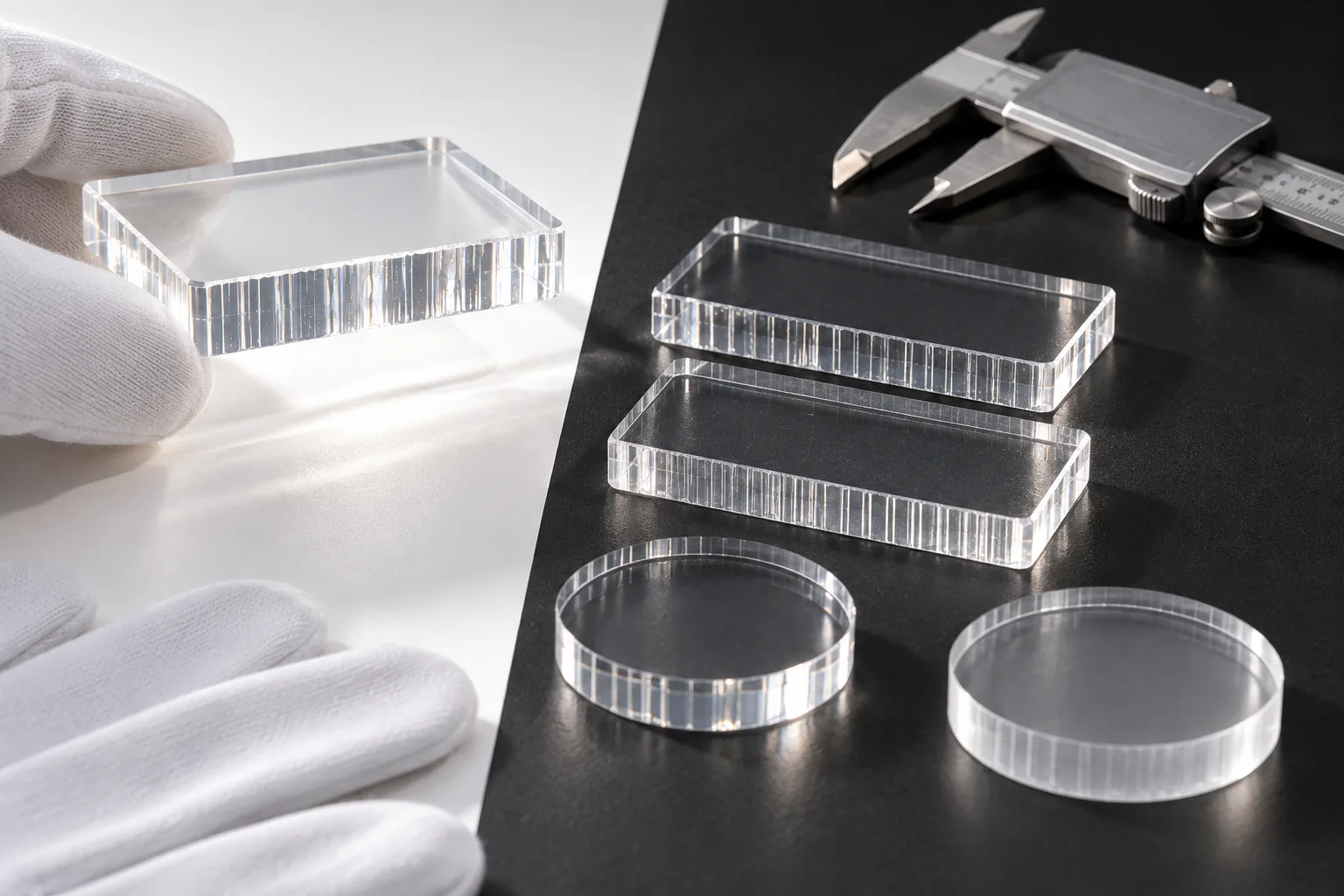
Approved limits for haze, striations, ripples, particles, bubbles and scorching.
Changes to inside/outside corners, small radii, holes and slots after kerf and heat.
Flashback, vapor redeposit, lifted protective film and damage near printed areas.
White/black background, raking light, distance, magnification, inspection side and photo method.
Machine, material lot, consumables, parameters, date, operator and pass/fail photos.
Agree upper and lower appearance limits from the product use instead of inventing a fixed tolerance.
Which buyers are affected by acrylic edge defects?
| Buyer or operation | Typical products | Business impact | Acceptance focus | RFQ inputs |
|---|---|---|---|---|
| IP, anime and game merchandise teams | Standees, charms, cards, badges and display parts | Cloudy outlines make printed character goods look lower grade | Approved color, cut contour, corner radius and edge clarity | Artwork, cut line, print layers, sample, quantity and schedule |
| Event, prize, capsule and blind-box programs | Limited goods, random assortments and display bases | Lot and SKU variation increases sorting work and complaints | Consistency between SKUs, lots and packed units | SKU list, assortment, packaging and shipment lots |
| OEM trading and gift companies | Promotional goods, awards and custom displays | Vague wording can stop inspection or trigger rework | Limit sample, inspection method and traceability | Use, quality request, material, packing and QC sheet |
| Advertising and design agencies | POP, signs and brand panels | Black backgrounds and strong lighting reveal haze and scratches | Installed-light appearance and large-format motion marks | Installation photo, light, viewing distance, size and mounting |
| Acrylic processors, UV printers and laser subcontractors | Contour-cut printed parts and semi-finished components | Rework, scrap and schedule delay | Lot-to-lot and machine-to-machine repeatability | Machine/lens, material history, defect definition and coupon results |
| Retail display, cosmetics, jewelry and electronics teams | Risers, trays, testers, panels, windows and illuminated signs | Edge defects reduce perceived cleanliness or optical performance | Backlit appearance, touch points, assembly and cleaning | Drawings, light source, load, cleaning and assembly conditions |
| Awards, models, prototypes and industrial clear parts | Trophies, name plates, models, guides and covers | Thick edges, bubbles, fit and light transmission become visible | Top-to-bottom edge difference, small features and assembly | CAD, thickness, use, environment and approved coupon |
Ten inputs that make edge-quality quotations more precise
- 01
Product use and viewing environmentRetail lighting, handheld merchandise and industrial parts are judged differently.
- 02
Vector cut linesProvide AI, PDF or DXF paths and the dimensional datum.
- 03
Material informationState acrylic type, brand, color, thickness and whether substitutions are allowed.
- 04
Printing and protection layersIdentify print side, white ink, coatings and protective film near the cut.
- 05
Target appearanceProvide an approved sample or reference photos with the background and light used for review.
- 06
Critical geometryMark small radii, inside corners, slots, press fits and functional holes.
- 07
Quantity and SKUsList prototype quantity, bulk quantity, SKU count and random-assortment rules.
- 08
Schedule and approval datesInclude sample, color proof, production start and delivery milestones.
- 09
Current defect evidenceSend macro and whole-part photos, location, lot and reproducible conditions.
- 10
Inspection and packingDefine the limit sample, inspection method, film-removal timing and unit packaging.
Frequently asked questions about cloudy laser-cut acrylic edges
Why do laser-cut acrylic edges turn white or cloudy?
Check the acrylic type, lot and moisture history; lens and beam-path condition; focus; the balance of power, speed and frequency; air assist; exhaust; and reflections from the cutting table. The visible symptom should be separated from surface residue before settings are changed.
Will slower speed and higher power always make the edge clearer?
No. That combination may help in some machine-material setups, but excess heat can widen the kerf, round corners, distort small features or increase fire risk. Change only one variable at a time and compare the result with an approved sample.
Does cast acrylic always produce a clearer laser-cut edge than extruded acrylic?
No. Cast and extruded sheet behave differently, but edge appearance also varies with the brand, lot, thickness, color and machine setup. Test each candidate material under controlled conditions before approving it for production.
Should air assist be turned off when cutting clear acrylic?
Not as a universal rule. Lens protection and machine safety come first. Evaluate low airflow, nozzle size, exhaust and the resulting haze together, and follow the laser manufacturer's operating requirements.
Are 0.2 bar and 0.2 MPa the same pressure?
No. 0.2 MPa equals 2 bar, which is ten times 0.2 bar. Confirm the unit, regulator gauge location, nozzle and actual machine setup before interpreting a parameter table.
How can table reflection or flashback marks be isolated?
Use the same material and cut file, then compare a coupon supported above the honeycomb with one cut in the usual position. If bottom-side marks or contamination decrease, table reflection or vapor recirculation is a likely contributor.
What should be approved before bulk production?
Approve a physical sample made with the intended material, printing and thickness. Inspect it against white and black backgrounds and under raking light, then retain pass/fail photos plus the material lot, machine, optics, nozzle, support and parameter record.
What information should be included in an RFQ for edge-quality troubleshooting?
Provide vector cut lines, finished dimensions, acrylic type, brand, thickness and color, printing and protective-film details, quantity, schedule, application, the required edge appearance and close-up defect photos taken under controlled lighting.
Turn “we need a clear edge” into a quote-ready specification
Send the cut data, material and thickness, application and close-up defect photos. We can separate the symptom, viewing condition and approval reference so prototype decisions do not become undocumented bulk-production assumptions.
Technical references
- Mitsubishi Chemical ACRYLITE: laser-processing troubleshooting
- Trotec: laser cutting acrylic with flame-polished edges
- ACRYLITE: laser machining guidance
Official manufacturer guidance supports the technical framework. The three factory observations remain individual experience reports. Final conditions must be tested on the actual machine, material and file and accepted against a physical sample.