
B2B OEM / JAN LABEL / BACKING CARD / OPP PACKAGING
Acrylic Backing Card & JAN Label Packaging
This page explains how to prepare acrylic stands, acrylic keychains, acrylic badges, coasters, and related character goods for Japan-facing retail, ecommerce, and event delivery with backing cards, OPP bags, JAN labels, SKU control, carton labels, and pre-shipment inspection.
The purpose is not to newly register JAN numbers for the buyer. The buyer or brand supplies JAN, EAN, or UPC data, and the factory turns that data into practical packaging rules: which backing card, which bag, which label position, which carton mark, and which SKU checks should be used before mass production.
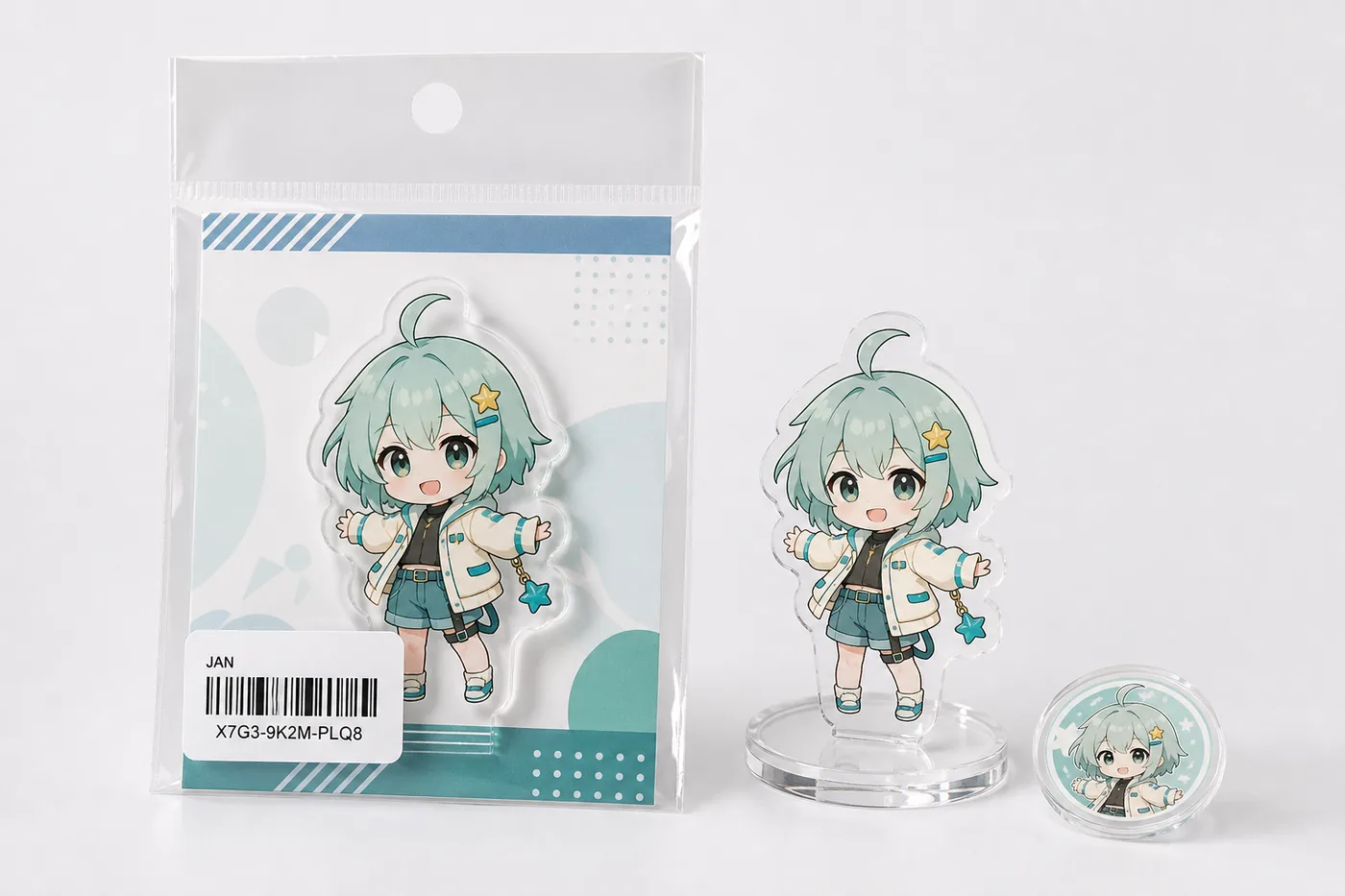
What This Page Helps You Decide
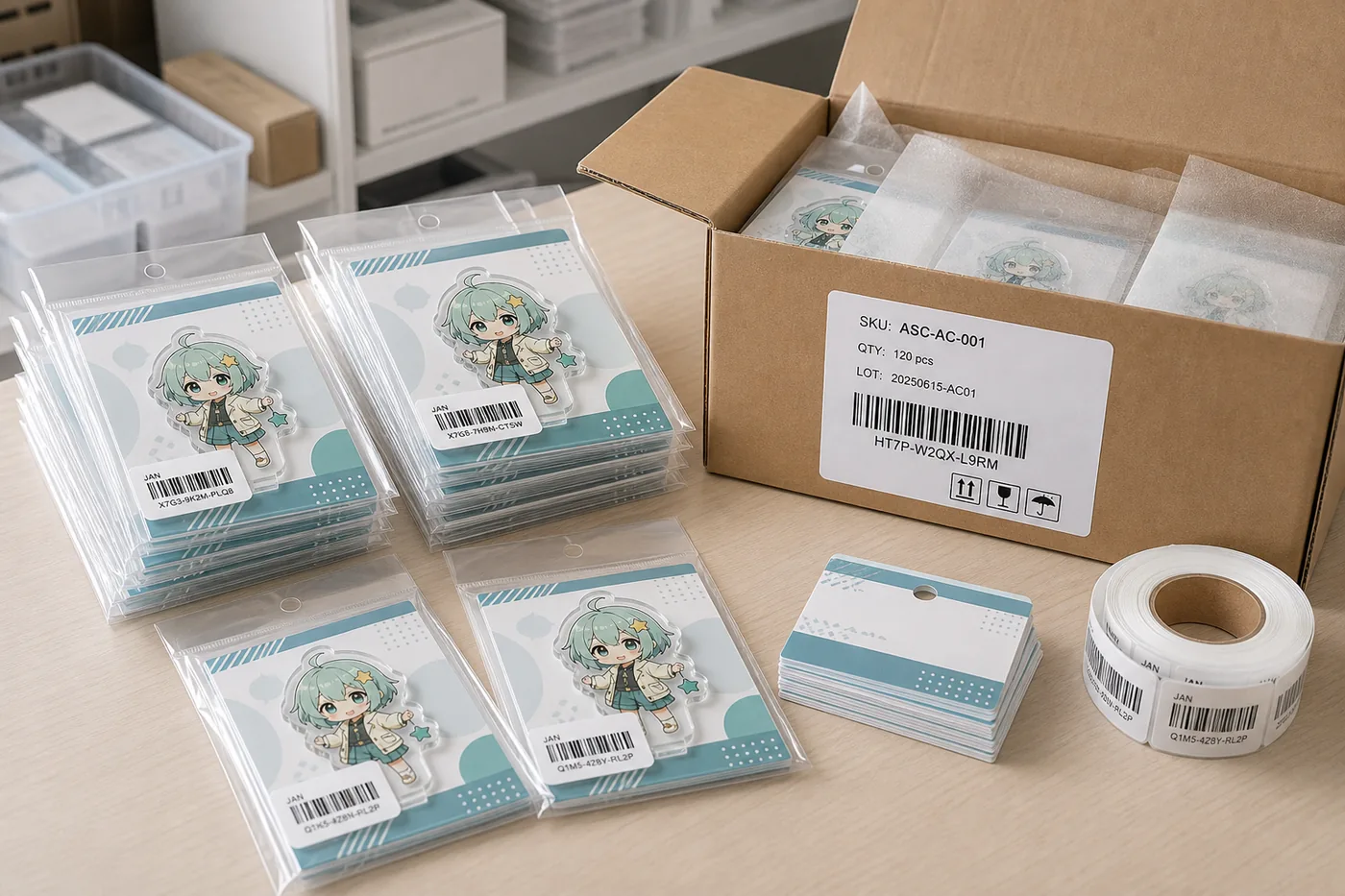
JAN label and backing card packaging is not only a bagging step after acrylic goods are finished. It is a packaging-control process that defines scannable JAN position, backing card margin, OPP bag fit, SKU-to-JAN mapping, carton labels, and inspection records in one shared specification.
For character acrylic goods, it is important not to cover key artwork, not to mix backing cards between SKUs, and not to mismatch JAN labels and product names. Confirming both the visual presentation and the control rules at sample stage reduces relabeling, re-sorting, and delivery delay during bulk shipment.
How Different Projects Use This Packaging Setup
Retail and ecommerce delivery
Barcode readability, carton information, carton quantity, and warehouse rules are the priority. Decide whether the JAN label should be outside the OPP bag or on the backing card according to the destination requirements.
Event merchandise
When many SKUs are packed under a tight schedule, SKU sheets and work instructions matter. Label position should be fixed, and the card and bag should support fast sales and clear display.
Series and random items
Character variations, colorways, random packing, and box sets require JAN mapping, assortment ratio, carton numbers, and SKU quantities before mass production starts.
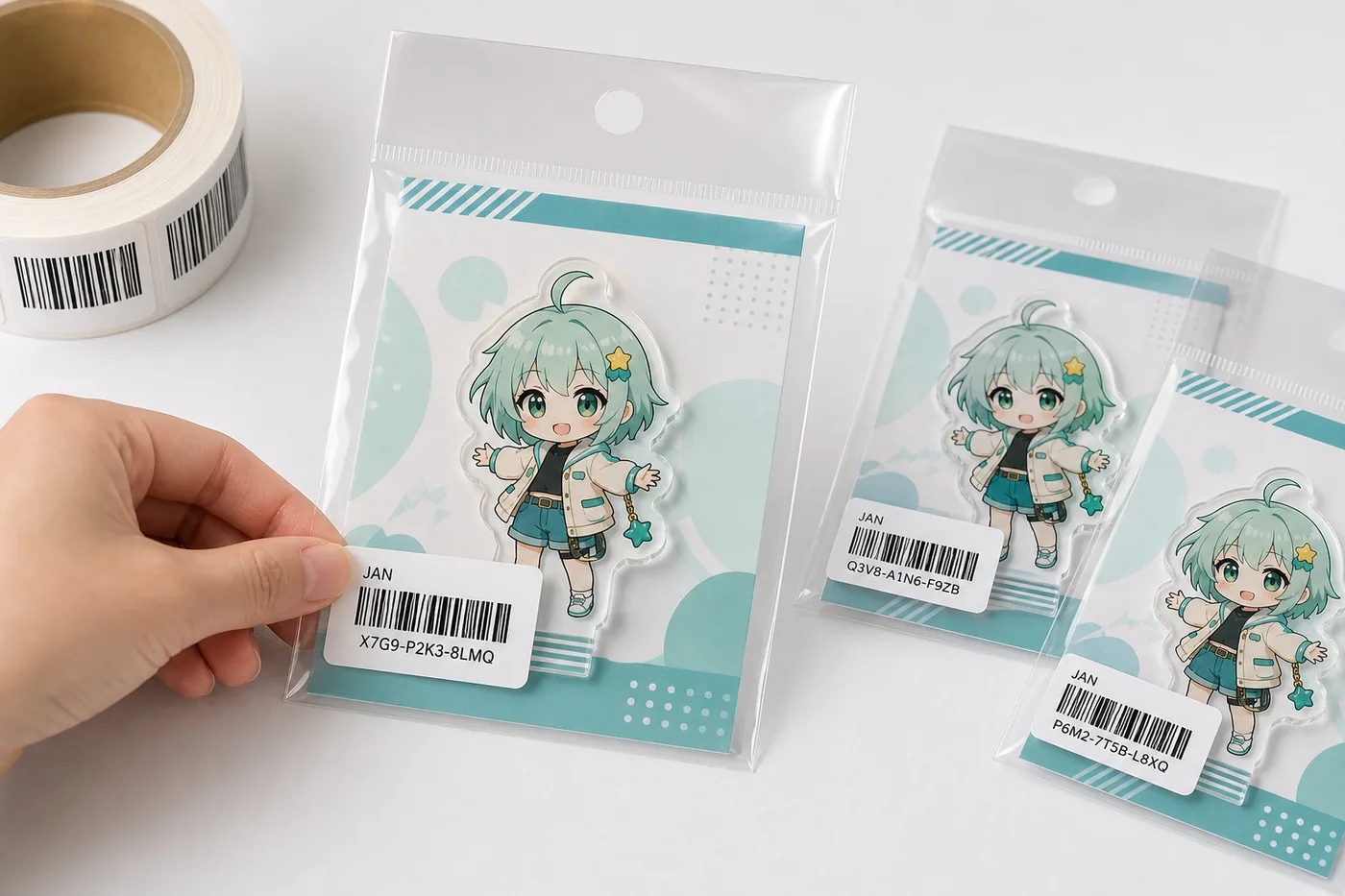
Decide JAN Label Position by Both Design and Scan Readability
A JAN label should not simply be placed wherever there is empty space. OPP bag wrinkles, seal steps, acrylic reflection, backing card graphics, and scan direction at a store or warehouse can all affect readability.
- If the label is applied outside the OPP bag, avoid folds and adhesive areas.
- If it is applied on the backing card, confirm whether the destination can scan it from outside.
- Avoid covering character faces, logos, product names, and important artwork.
- Manage JAN data, SKU code, product name, and quantity in one control sheet.
Role Split Between Buyer and Factory
| Buyer / brand prepares | JAN, EAN, or UPC numbers, SKU codes, product names, quantity by SKU, destination rules, backing card artwork, caution text, delivery instructions, and carton mark requirements. |
|---|---|
| Factory handles | JAN label output from supplied data, label position confirmation, backing card and OPP bag combination, individual packing, SKU sorting, carton label application, and pre-shipment verification. |
| Both sides confirm | With sample photos or physical samples, confirm barcode readability, backing card margin, item movement in the bag, label angle, carton information, quantity, and mixed-carton rules. |
Select OPP Bag and Backing Card from the Maximum Finished Size
If packaging is decided only by card size, acrylic body, stand base, metal parts, protective film, and OPP seal may interfere with each other. A bag that is too large can let the product shift; a bag that is too small can create bent corners or wrinkles. For hanging retail display, the header and hang-hole position also matter.
- For acrylic stands, check thickness with the stand base included.
- For acrylic keychains, choose the bag from the maximum size including hardware.
- Check that the OPP seal does not overlap the JAN label or product name.
- Retail hanging, ecommerce warehouse, and event sales may require different priorities.
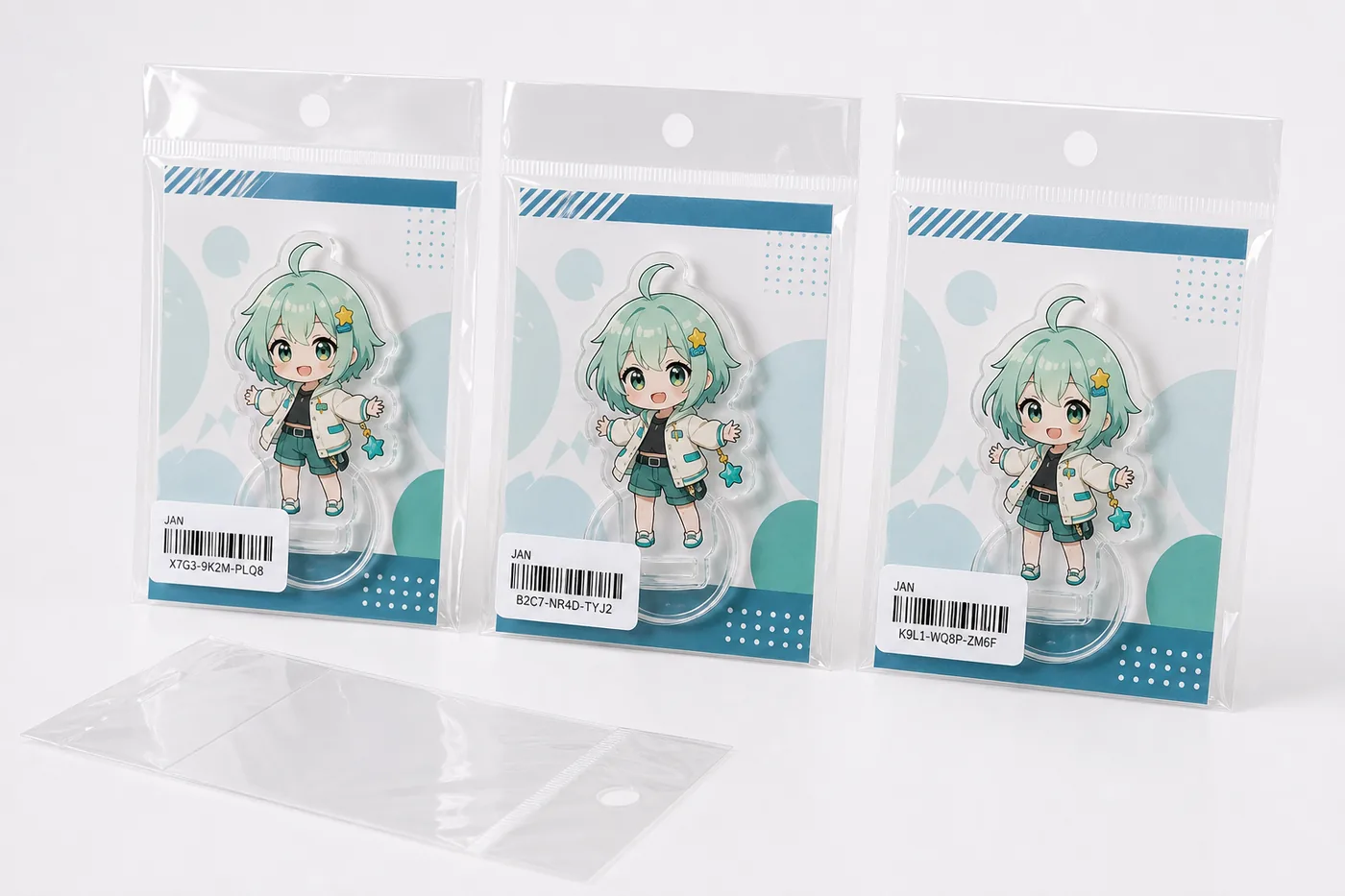
Packaging Specification Checklist
| Product types | Acrylic stands, keychains, badges, coasters, blocks, mini dioramas, and set products. Product shape changes card fixation, bag size, and label position. |
|---|---|
| Backing card | Finished size, bleed, hang hole, product name, SKU, series name, caution text, JAN label area, single/double-sided printing, paper thickness, and color review. |
| OPP bag | Bag width and height, header, hang hole, seal direction, adhesive area, transparency, inner margin, protective-film interference, and final packed appearance. |
| JAN label | Supplied barcode data, label size, application position, scan direction, SKU mapping, label material, and checks for bending, wrinkles, or peeling. |
| Carton label | Product name, SKU, quantity, carton number, lot, destination requirement, mixed-SKU status, carton quantity, and total carton count. |
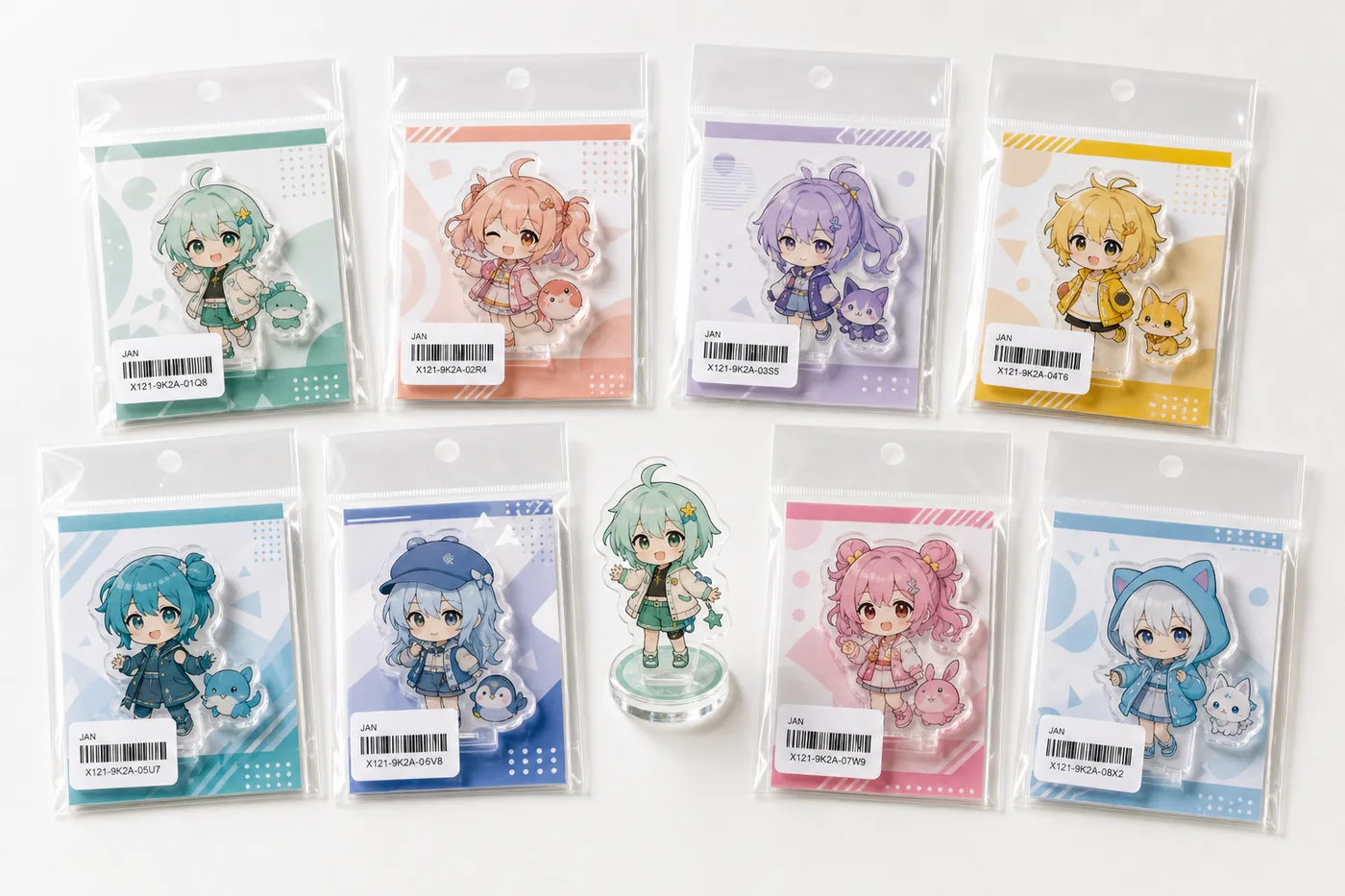
Manage Multiple SKUs with One JAN, Card, and Quantity Mapping Sheet
Color, character, and expression variations may look similar but use different JAN labels. Changing backing card colors or labels is not enough; the packing team needs a clear SKU mapping sheet for checking.
| Fields to include | SKU code, product name, character name, backing card file name, JAN number, JAN artwork file, individual package quantity, carton quantity, carton number, and notes. |
|---|---|
| How to reduce mix-ups | Separate work areas by SKU, manage backing card stacks and JAN label rolls with the same numbering system, recheck quantity before carton packing, and keep shipment photos. |
For Bulk Shipment, Check Individual Packages and Carton Labels Together
Even if each individual package looks correct, shipment can stop if carton SKU or quantity is wrong. Carton number, quantity, lot, SKU, and mixed-carton status should be checked against the individual labels before shipment.
- Check SKU and quantity carton by carton.
- For mixed-SKU cartons, keep a list of items inside each carton.
- If the destination requires carton barcodes or management numbers, share the rule before quotation.
- Define how spare cards, spare JAN labels, and spare bags should be handled.
Pre-Shipment QC Checks Management Data, Not Only Appearance
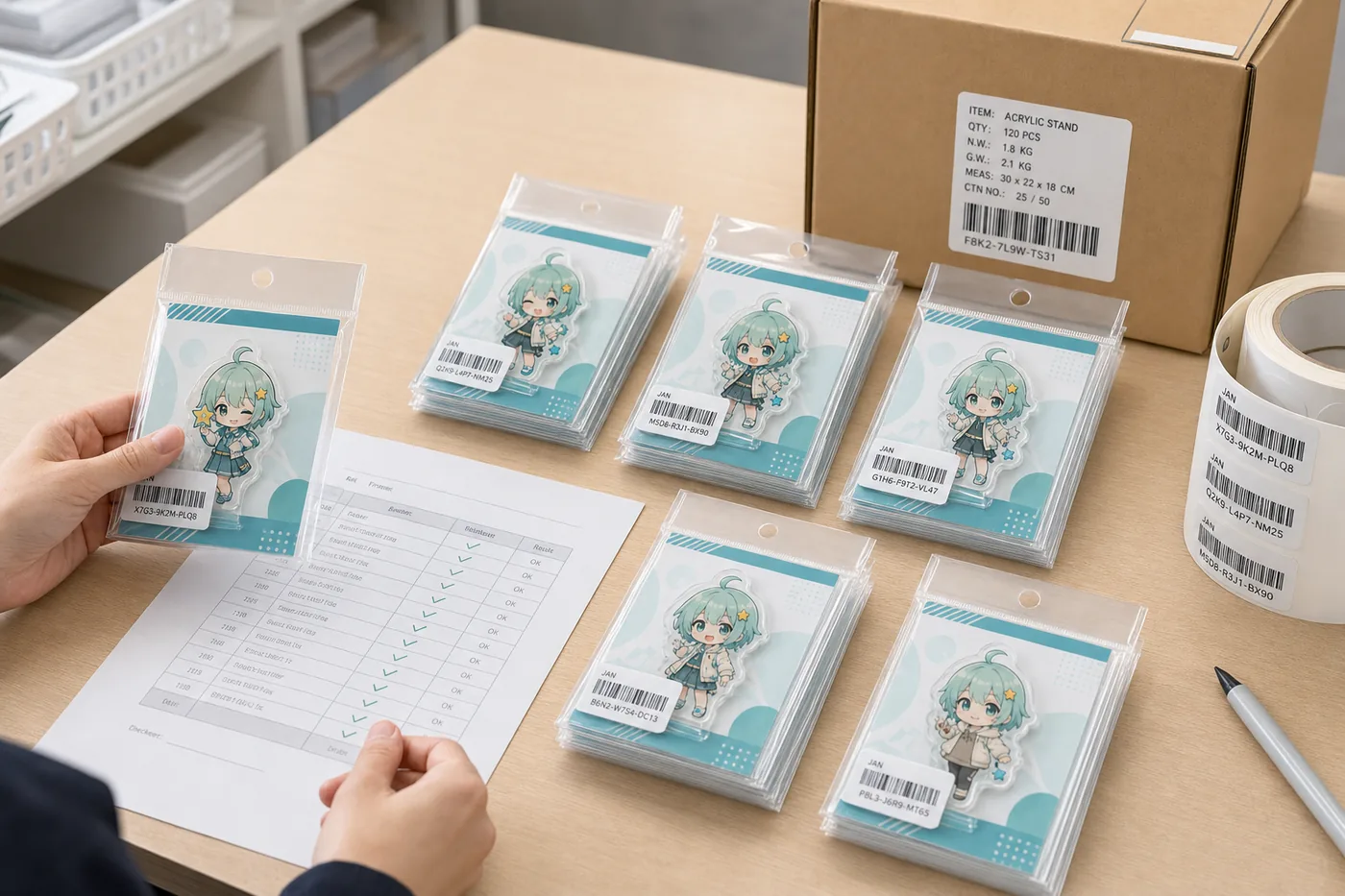
For JAN label and backing card packaging, inspection should cover not only acrylic scratches or print shift but also JAN-to-SKU match, label position, card direction, quantity, carton number, carton label, and inspection record.
Check label position, scan result, SKU match, duplicates, and wrong labels.
Check front/back side, color, hole position, product name, caution text, and JAN area.
Check bag size, seal, wrinkles, adhesive, hang hole, and product movement.
Check SKU, quantity, carton number, lot, and destination requirements.
Production Flow
This order helps reduce label-position changes after card printing, bag-size changes after OPP bags are prepared, relabeling after production, and carton-label rework before delivery.
Mass Production Risks and Prevention
Barcode does not scan
Wrinkles, reflection, angled application, or overlapping card graphics can cause this. Test the actual label position during sampling.
JAN label covers artwork
Covering faces, logos, or product names reduces merchandise value. Check design and management requirements together.
SKUs get mixed
Similar colors or expressions can be mixed easily. Use the same numbering system for SKU sheets, card stacks, JAN rolls, and carton labels.
Product moves inside the bag
This can happen when the bag is too large, card fixation is weak, or hardware position is unstable. Confirm maximum dimensions and fixation method first.
Carton quantity is wrong
Check carton quantity, total quantity, SKU quantity, and split-shipment destination carton by carton. Keep carton-level checklists for multi-SKU orders.
Destination rules are missed
Ecommerce warehouses, stores, event sales, and consignment sales can require different labels. Share destination rules before quotation.
Materials to Share Before Quotation
| Product information | Item type, finished size, thickness, stand base, hardware, protective film, set contents, SKU count, and quantity by SKU. |
|---|---|
| JAN and SKU information | JAN, EAN, or UPC number, barcode artwork or data, SKU code, product name, and product registration rules from the sales channel. |
| Backing card artwork | Editable AI, PDF, or PSD files with finished size, bleed, hang hole, caution text, and JAN label area. |
| Packaging conditions | OPP bag size, header, hang hole, seal direction, whether JAN is on OPP outside or card side, and spare packaging material requirements. |
| Shipment conditions | Destination, target delivery date, carton quantity, carton label, split shipment, mixed-carton rule, and sample review method. |
Frequently Asked Questions
Can the factory newly register JAN numbers for us?
JAN number registration and ownership are normally handled by the brand or seller. The factory uses supplied JAN, EAN, or UPC data to create labels, confirm label position, check readability, match SKUs, and verify packaging before shipment.
Should the JAN label be applied outside the OPP bag?
If a warehouse or store needs to scan the barcode from outside, applying it on the OPP bag is usually easier. For appearance-first projects, the label may be placed on the backing card back side or another position that does not cover the artwork. Sales-channel rules should be confirmed first.
When should the backing card artwork be finalized?
JAN position, hang hole, product name, SKU, caution text, bleed, and bag size should be tentatively fixed before sample review. Final approval should be done with a physical sample or clear sample photos before mass production.
Can you handle multiple SKUs or random items?
Yes. SKU sheets, JAN mapping, backing card data, assortment ratio, carton quantity, and carton label rules should be fixed before mass production.
Can we request only JAN labels?
We recommend checking JAN labels together with backing cards, OPP bags, individual packaging, carton labels, and inspection scope because label position and readability depend on the packaging specification.
What should we send before quotation?
Please share product images or drawings, finished size, thickness, SKU count, quantity, JAN data, backing card artwork, OPP bag preference, carton label requirements, and delivery rules.
Related Pages
Organize JAN Label and Backing Card Specs Before Mass Production
Share item size, SKU count, JAN data, backing card artwork, OPP requirements, carton marks, and delivery conditions so the packaging work and inspection scope can be defined clearly.
Decision framework: Acrylic Backing Card & JAN Label Packaging
Use this acrylic backing card & jan label packaging to decide and document backing-card finished size, safe artwork and legal-copy zones, JAN barcode size and quiet zone, card stock and print finish, OPP bag fit and sealing, and scan and pack-out verification. The result should be an approval record that procurement, artwork, production, QC and packaging teams can apply to the same SKU.
Search intent boundary: This page owns the informational and risk-reduction intent for acrylic backing card and JAN label packaging. Commercial product terms remain on the related product pages, while this guide answers the pre-production decision.
What to lock before approval
A reliable decision has three parts: a written criterion, a representative finished sample and a repeatable verification method. Screenshots or verbal approvals are not enough when the decision affects material, fit, color, assembly or pack-out. The six controls below should appear in the same quotation, sample record and inspection instruction.
| Decision | What the buyer must define | Acceptable approval evidence |
|---|---|---|
| Backing-Card Finished Size | Define backing-card finished size by SKU before quotation and do not replace it with a vague good-quality instruction. | Keep an approved dimensioned specification or controlled reference that production and QC can identify during bulk release. |
| Safe Artwork and Legal-Copy Zones | Define safe artwork and legal-copy zones by SKU before quotation and do not replace it with a vague good-quality instruction. | Keep an approved artwork proof and component record that production and QC can identify during bulk release. |
| JAN Barcode Size and Quiet Zone | Define JAN barcode size and quiet zone by SKU before quotation and do not replace it with a vague good-quality instruction. | Keep an approved representative physical sample that production and QC can identify during bulk release. |
| Card Stock and Print Finish | Define card stock and print finish by SKU before quotation and do not replace it with a vague good-quality instruction. | Keep an approved sellable pack or use-condition check that production and QC can identify during bulk release. |
| OPP Bag Fit and Sealing | Define OPP bag fit and sealing by SKU before quotation and do not replace it with a vague good-quality instruction. | Keep an approved inspection photo and measured result that production and QC can identify during bulk release. |
| Scan and Pack-Out Verification | Define scan and pack-out verification by SKU before quotation and do not replace it with a vague good-quality instruction. | Keep an approved SKU-linked bulk report and carton trace that production and QC can identify during bulk release. |
Failure risks to close
- Backing-Card Finished Size is not controlled: suppliers can interpret the same request differently and the quotation is not comparable.
- Safe Artwork and Legal-Copy Zones is not controlled: the physical sample can pass while the wrong revision enters bulk production.
- JAN Barcode Size and Quiet Zone is not controlled: packing or use conditions reveal a failure that a loose visual sample did not show.
- Card Stock and Print Finish is not controlled: the buyer cannot separate an isolated defect from a repeated batch or SKU problem.
Quote inputs
- project name and target market for Acrylic Backing Card & JAN Label Packaging
- editable artwork and the latest revision code
- finished dimensions and quantity for every design
- backing-card finished size
- safe artwork and legal-copy zones
- JAN barcode size and quiet zone
- individual packaging, label and barcode requirements
- inspection evidence and acceptance criteria
- delivery destination and required arrival date
Sample-to-bulk control
Approve a finished sample that represents the intended artwork, construction and sellable package. Record the sample date, revision, dimensions, material or component codes, visual limits and function checks. If a later change affects artwork, material, hardware, assembly or packaging, identify the impacted SKUs and obtain a new approval instead of relying on the earlier sample.
For bulk inspection, use the same viewing conditions, measurement points and pass/fail language used during approval. The report should identify the purchase order, SKU, batch, sampled quantity and result. Photographs are useful evidence only when they show the relevant scale, lighting, label or test condition and can be traced to the inspected lot.
When comparing quotations, separate confirmed specifications from assumptions. Ask each supplier to identify exclusions, proposed substitutes, sampling scope, packaging labor and delivery basis. A lower figure is not equivalent when it omits a component, uses a different inspection level or assumes that several designs can share one uncontrolled pack. Close those differences before price approval so the purchase decision remains auditable.